Schylva

Connected school ERP features for Indian schools

School management software features that stay connected.

Explore eleven connected school management software capabilities—from student information and role access to attendance, academics, fees, communication, transport and analytics—all working from the same school, student, class and role context.

Need pricing? Get a student-count quote
School foundationPeople and classes in one operating context
Actual product screen · sample school data · expand to inspect
Administrator overview of fictional student, teacher, class and guardian records in SchylvaInspect product screen
  • People
  • Attendance
  • Fees
  • Results

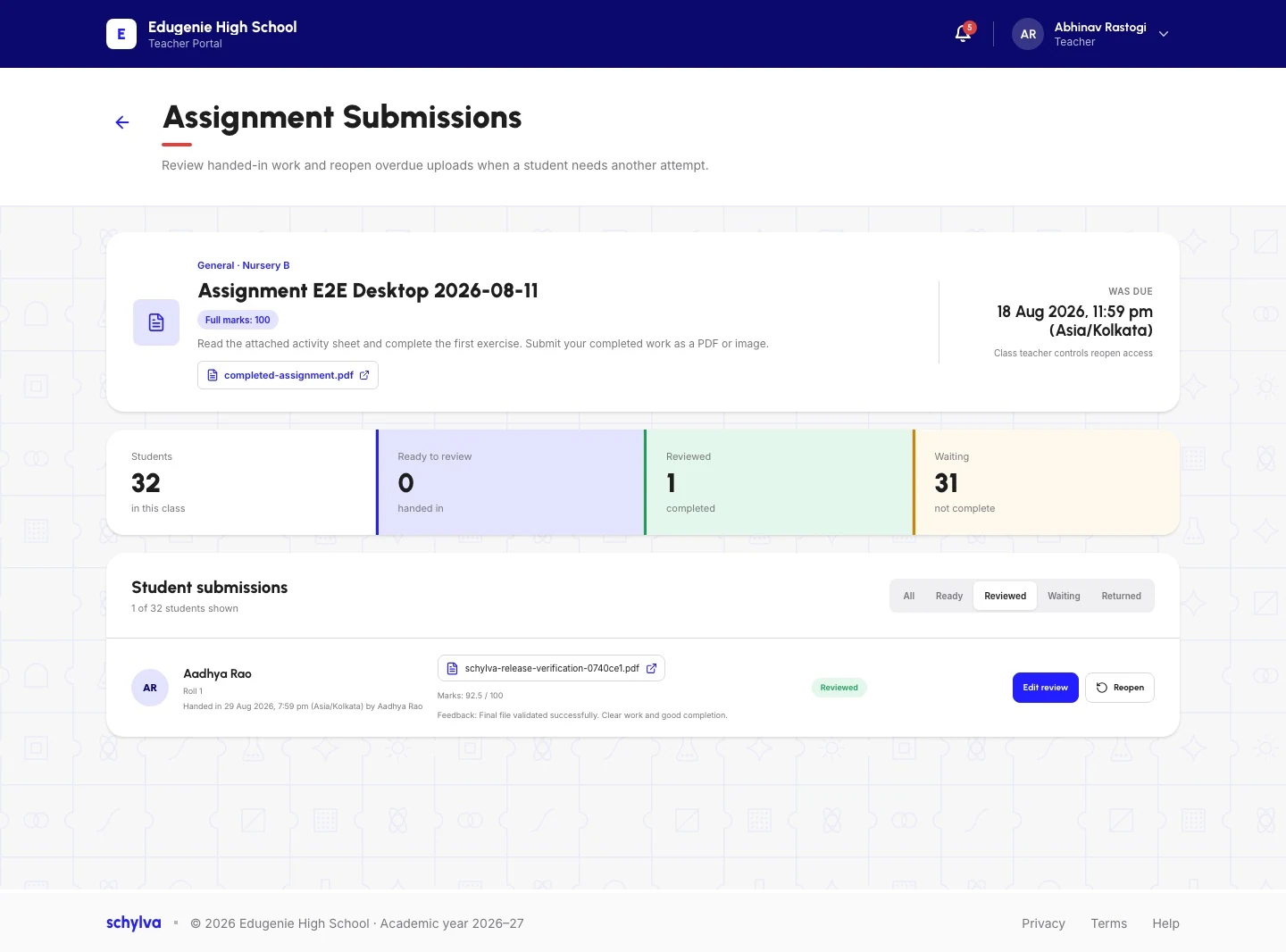
Administrators, teachers, parents and students each see the information relevant to their role. Inspect real Schylva screens, compare connected workflows and open a detailed guide whenever your school needs exact scope.

11detailed feature guides
4role experiences
iOS + Androidcoming at launch

Complete iOS and Android experiences for all four roles are coming at launch.

Find a starting point

Where should your school start?

Begin with the school outcome that matters now. Each view connects the primary workflow to the capabilities and roles around it.

School foundation

Give every record the right school context.

Start with students, guardians, teachers, classes and sections, then connect each person to a school-scoped account. Administrators gain a clearer foundation for daily operations without rebuilding the same relationships in separate tools.Explore student information system
Actual product screen · sample school data · expand to inspect
Administrator overview of fictional student, teacher, class and guardian records in SchylvaInspect product screen

Complete feature directory

Explore all Schylva features.

Use these eleven detailed guides to review the workflow, roles, real product screens and current boundaries for each capability.

School foundation

Prepare people and role access.

Build the school context that daily records, role views and communication depend on.

All school roles

Student information system

Keep students, guardians, teachers, classes and sections in one operating context.

Connects withUser and access management
Explore student information system

All school roles

User and access management

Prepare school-scoped administrator, teacher, parent and student accounts with configured login verification and available permissions.

Connects withStudent information system
Explore user and access management

Academic day

Connect teaching, schedules and assessment.

Keep classroom actions and published academic information tied to the same student and class context.

All school roles

Attendance management

Record the class roster once and make the supported school and family views available.

Connects withTimetable management
Explore attendance management

All school roles

Academic management

Connect classes, schedules, homework, materials, exams and published results.

Connects withExams and results
Explore academic management

All school roles

Timetable management

Maintain class and teacher schedules and publish the relevant view.

Connects withAttendance management
Explore timetable management

All school roles

Exams and results

Connect exam setup, marks, configurable grading scales, board-specific report-card formats and published results.

Connects withAcademic management
Explore exams and results

Teachers · Parents · Students

Homework and study materials

Give teachers a supported publishing path and families one place to find assigned work and protected materials.

Connects withAcademic management
Explore homework and study materials

Family experience

Connect fees and school communication.

Keep fee status and targeted school updates connected to the relevant student and family context.

School administrators · Parents

Fee management

Keep supported fee structures, status, offline records and configured parent online payment together.

Connects withStudent information system
Explore fee management

All school roles

School communication

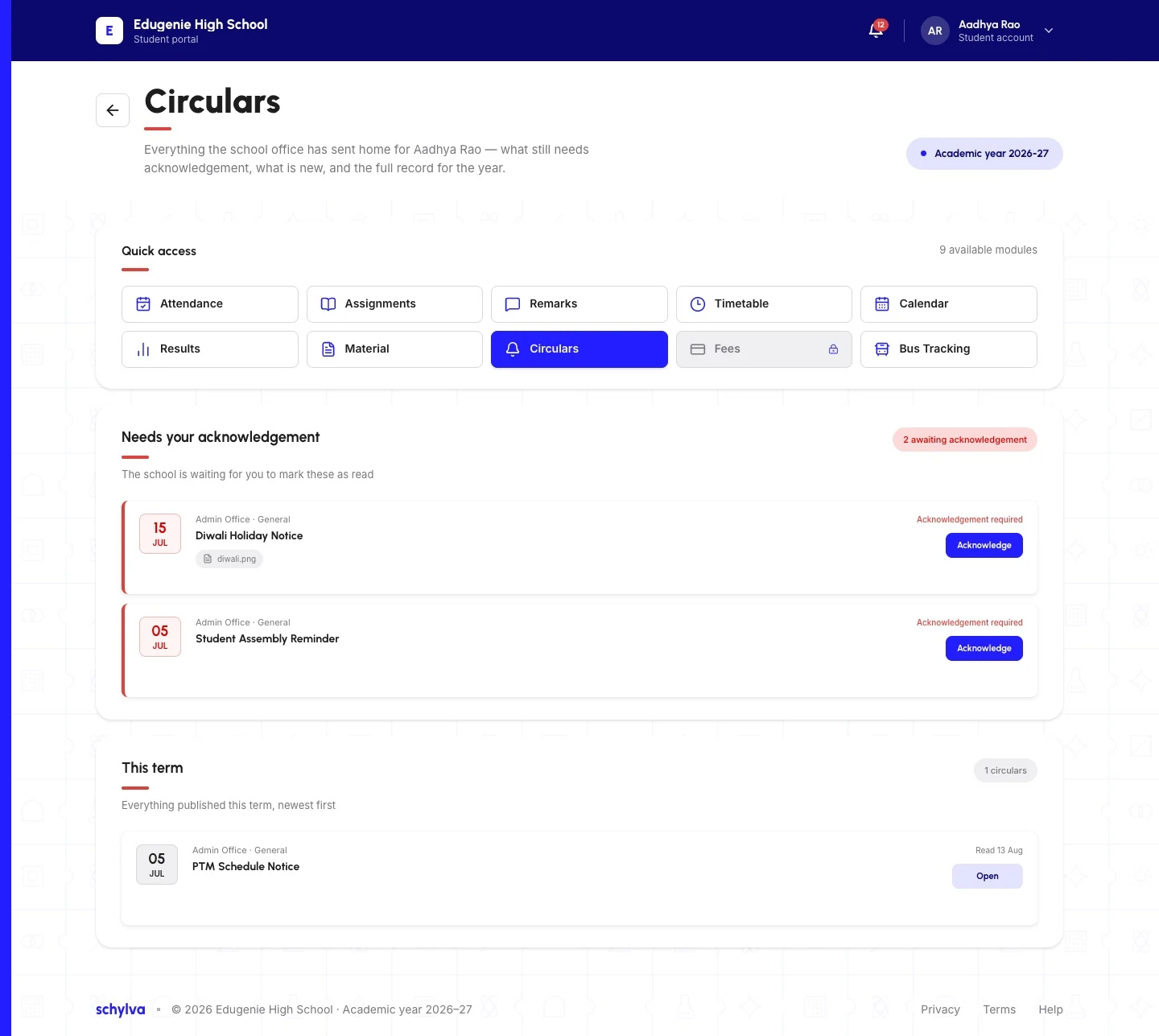
Publish targeted circulars and supported acknowledgements, with in-app and push updates planned at launch.

Connects withUser and access management
Explore school communication

Operations and insight

Coordinate operations and review.

Organise transport work and review operational, attendance, results and fee-status information.

School administrators

Transport management

Organise supported route records, capacity context, Student assignments and fee settings in the administrator workflow.

Connects withStudent information system
Explore transport management

School administrators

School analytics

Review supported operational, attendance, results and fee-status summaries.

Connects withAttendance management
Explore school analytics

How features connect

One school record can support the next relevant action.

Schylva is organised around the movement of school information—not as eleven isolated tiles.

  1. 01

    Foundation

    Prepare the school context.

    Student information and user access connect people, classes and accounts.

    School setup

    People → Classes → Role access
  2. 02

    Daily school work

    Record the relevant action.

    Attendance, timetables, academics, homework, exams and fees stay attached to the right school record; Transport remains an authorised administrator assignment workflow.

    Class day

    Timetable → Attendance → School record
  3. 03

    Role views

    Show the right information.

    Administrators, teachers, parents and students use focused experiences rather than one unrestricted dashboard.

    Learning

    Academic setup → Homework → Published results
  4. 04

    Reach and review

    Communicate and understand.

    Circulars keep the audience connected to the underlying school context while analytics supports review.

    Reach and review

    Targeted circular → Role update → School summary

Features by role

Four focused experiences. One school context.

Each role uses the capabilities relevant to its responsibility. These links open the complete role-specific workflow pages.

School administrators

Configure and review the school.

Work across all eleven connected capability areas, from school structure and access to daily records, operations and review.
  • School structure and role access
  • Daily records and operations
  • Analytics and review
Explore Schylva for school administrators

Teachers

Run the teaching day.

Use attendance, timetables, academics, homework and materials, exams and school communication in the relevant class context.
  • Attendance and timetables
  • Homework and academic work
  • Exams and communication
Explore the teacher schedule and class workflow

Parents

Follow the linked child.

Review attendance, fees, timetables, results, materials and circulars for the linked child.
  • Attendance, fees and schedules
  • Results and learning materials
  • Circulars and remarks
Explore the Schylva parent experience

Students

Stay focused on the school day.

Use attendance, timetable, homework and materials, results and circulars in the Student experience.
  • Timetable and attendance
  • Homework, materials and results
  • School updates and remarks
Explore the Schylva student experience

Complete mobile apps · coming at launch

Full role experiences are planned for iOS and Android.

Administrators, teachers, parents and students are all part of the launch scope. In-app and push notifications are the school-update path. Approved mobile product screenshots will be shown only when they are available.
iOSAndroidAll four roles
Explore the mobile-app plan

Precise current scope

Know the important boundaries before evaluation.

  • WhatsApp and non-login SMS notifications are not supported. The current release does not send login verification codes by SMS.
  • Fee management is not presented as a complete accounting system.
  • Payment-gateway transaction charges remain payable by the school under the provider's terms.
  • Live GPS vehicle tracking is not claimed.
  • Admissions CRM, library, payroll and hostel management are not claimed.
  • A full learning management system is not claimed.
  • Automatic timetable generation is not claimed.
  • Enterprise SSO, SCIM and arbitrary custom RBAC are not claimed.

Open each detailed feature guide for its exact workflow and capability-specific limitations.

Evaluation checklist

Compare school software by the work it must support.

Use these questions with the people responsible for operations, academics, finance, technology and rollout.

Open the complete school-software buyer's guide
  • Does the feature connect to the role that needs the information next?

    Trace the action from the person who records it to the administrator, teacher, parent or student who must use it.

  • Can the school inspect a real product screen?

    Ask vendors to show the actual workflow using safe sample data, including the saved record and the relevant role view.

  • What is supported at launch?

    Separate current web capability, confirmed mobile launch scope and later ideas before comparing vendors.

  • What is explicitly excluded?

    Record boundaries such as full accounting, live GPS, WhatsApp, payroll or enterprise identity requirements.

  • How will the school configure and validate it?

    Review setup, initial migration, roles, training and acceptance checks with the people responsible for rollout.

Questions schools ask

Practical answers about features, roles and launch scope.

Need an answer specific to your school?

Ask us directly
Which features are included in Schylva?

Schylva includes eleven connected feature areas: student information, user and access management, attendance, academic management, timetables, exams and results, homework and study materials, fee management, school communication, transport management and school analytics. Open the detailed feature guides to review each supported workflow and current boundary.

Are these separate modules or one connected platform?

They are connected capability areas within Schylva. The feature pages organise the product for evaluation; they do not describe separate package tiers.

Who can use Schylva's features?

Schylva supports school administrators, teachers, parents and students through school-scoped, role-appropriate accounts. The actions and information available depend on the user's role and the supported school workflow.

Will the complete feature experience be available on iOS and Android?

Complete iOS and Android experiences for administrators, teachers, parents and students are coming at launch. Approved mobile product screenshots will be added when they are available.

Which school boards can use Schylva?

Schylva is intended for schools across CBSE, ICSE, State Board, IB, Cambridge and other school contexts. Schools should review their exact academic structure, grading and reporting requirements during the demo and implementation discussion.

Does Schylva use WhatsApp or SMS for school updates?

No. WhatsApp and non-login SMS notifications are not supported. The current release does not send login verification codes by SMS. In-app and push notifications are the school-update path coming at launch.

Does fee management replace full accounting software?

No. Schylva manages the supported school fee workflow, including configured online payment and offline payment records. It is not presented as a complete accounting system, and payment-gateway transaction charges remain separately payable.

Can our school inspect the workflows before deciding?

Yes. Book a tailored demo and identify the feature areas and role journeys your school wants to inspect. Schylva can then focus the walkthrough on those supported workflows and current boundaries.

Feature-focused walkthrough

Choose the school workflows you want to see.

Tell us which feature areas, roles and current school processes matter most. We will shape the demo around the supported workflows your team needs to evaluate.
Book a feature-focused demo Get a student-count quote