Student record context
Record the Student transport opt-in.
An authorised administrator maintains eligibility.
Opt-in does not assign a route.
School transport administration
Authorised administrators maintain routes, opted-in Student assignments, fees and billing frequency.
Capacity is review context, not an enforced limit. No Parent or Student delivery, live tracking or fleet operations.
Inside the assignment
Static product screenshot.
These are not interactive form fields.
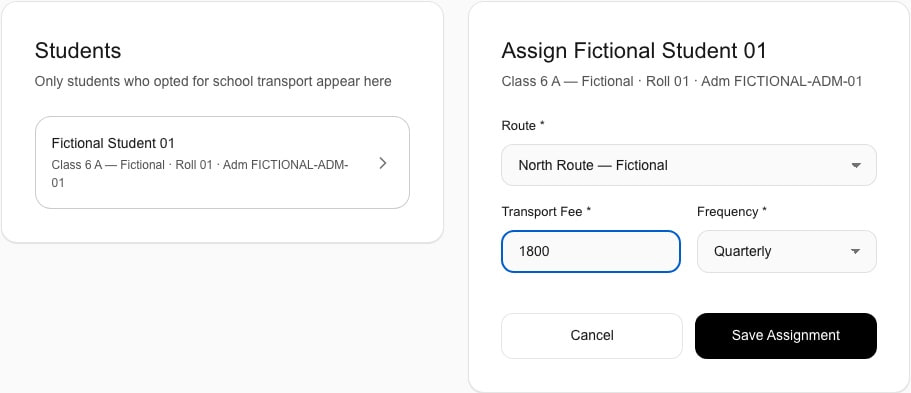
Current Schylva web workflow · fictional school data
Shows route, fee and frequency—not automation, invoices or family delivery.
Administrator record management
Confirm eligibility, an active route and assignment details.
Before assignment
The Student record must show transport opt-in.
During setup
Use an active route with required contact and optional context.
After selection
Keep Student, route, positive fee and frequency together.
The administrator assignment process
Five stages define record ownership. Student eligibility and route setup come before the assignment. This is a record workflow, not a trip planner.
Student record context
An authorised administrator maintains eligibility.
Opt-in does not assign a route.
Authorised administrator
Record its name, required contact and optional capacity or teacher reference.
Teacher reference creates no Teacher workflow.
Administrator transport workspace
Review the unassigned list.
No automated allocation or optimisation.
Assignment record
Enter a positive fee; choose monthly, quarterly or annual frequency.
Route, fee and frequency stay together.
Route detail
Review the route and assigned Students.
Supported fields are editable; capacity is not enforced.
Ownership, not passenger delivery
The current product supports administrator record management, not Parent, Student or Teacher transport workspaces.
Record owner
Required settings permission controls access.
Explore Schylva for school administratorsThe assignment stores fee and frequency; evaluate Fee Management separately.
Review Fee ManagementIt creates no Teacher transport control or delivery.
Review the Teacher experienceThe interface, up close
Three focused administrator states use fictional school data. The assignment fields are shown above; inspect the overview and assigned-Student result here. These are not evidence of family delivery, invoices, capacity enforcement or fleet operations.
01 · Overview and route controls
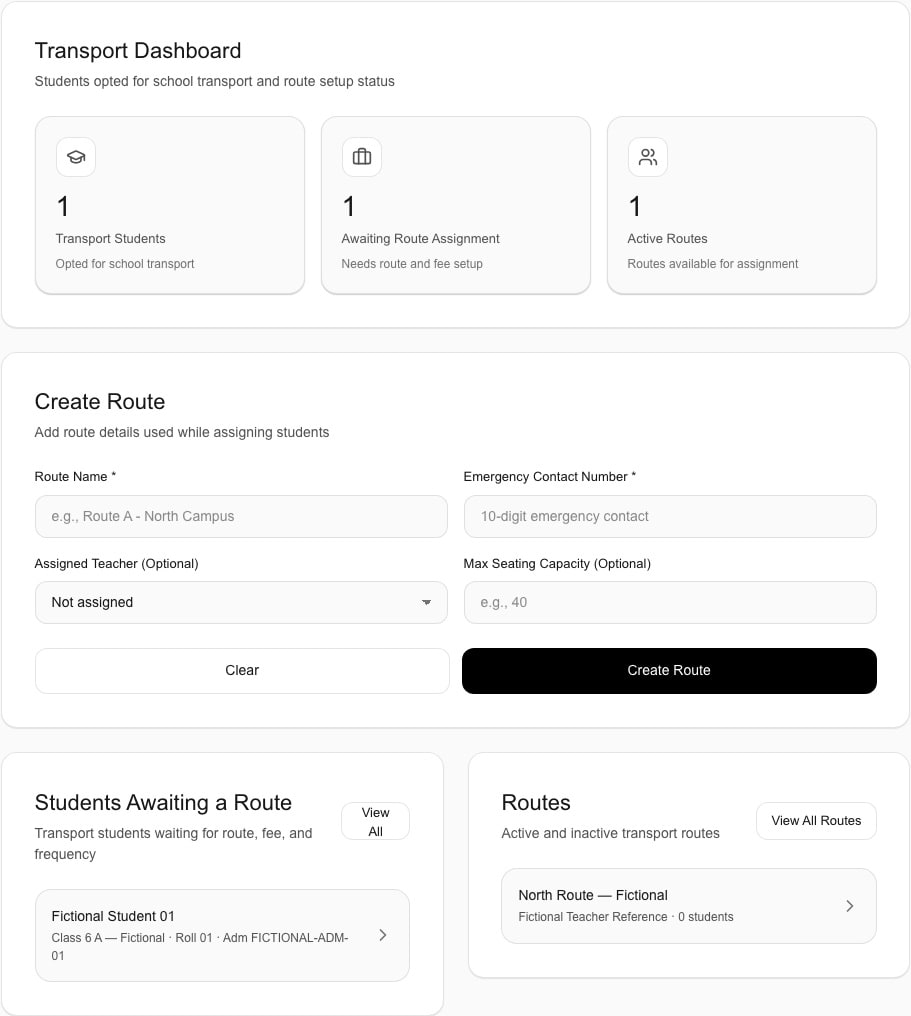
Current Schylva web workflow · fictional school data
Shows counts and route controls—not submission or live operations.
03 · Assigned-Student result
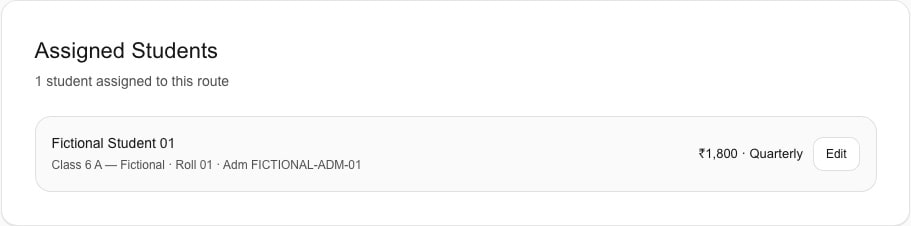
Current Schylva web workflow · fictional school data
Shows one assignment with fee and quarterly frequency—not route metadata, GPS, trips, dispatch or capacity enforcement.
A clear product boundary
Compare records, configuration choices and boundaries.
Prepare a useful walkthrough
Trace the record without production school or Student data.
Review eligibility before assignment.
Prepare its name, contact, status and optional capacity.
Confirm ownership, fee and frequency.
Separate those needs from current scope.
School transport questions
Confirm ownership, eligibility, records, fees and boundaries.
With settings permission, they maintain routes, review unassigned eligible Students and record one active-route assignment with fee and frequency.
No. Capacity is optional context, not enforcement or automatic allocation.
Students whose available school record indicates transport opt-in.
A positive fee and monthly, quarterly or annual frequency. Invoice or payment behaviour requires exact-candidate proof.
No. Parent and Student transport delivery is not supported in the current release.
No. Live GPS, maps, vehicles, drivers, stops, trips, ETA, history, geofencing, dispatch and optimisation are outside scope.
A focused transport demonstration
Bring an opted-in Student, route, fee and frequency.
Use fictional or redacted information—no real names, contacts, IDs or screenshots. Response within two working days.