School administrators
Configure supported structures, review fee status and record supported offline payments.
For administratorsSchool fee management
Authorised administrators manage fee structures and supported offline payment records. Linked parents review fee status and history, with online payment available only when the school configures Razorpay.
Razorpay processes the online transaction under its terms. Its transaction charges remain payable by the school.
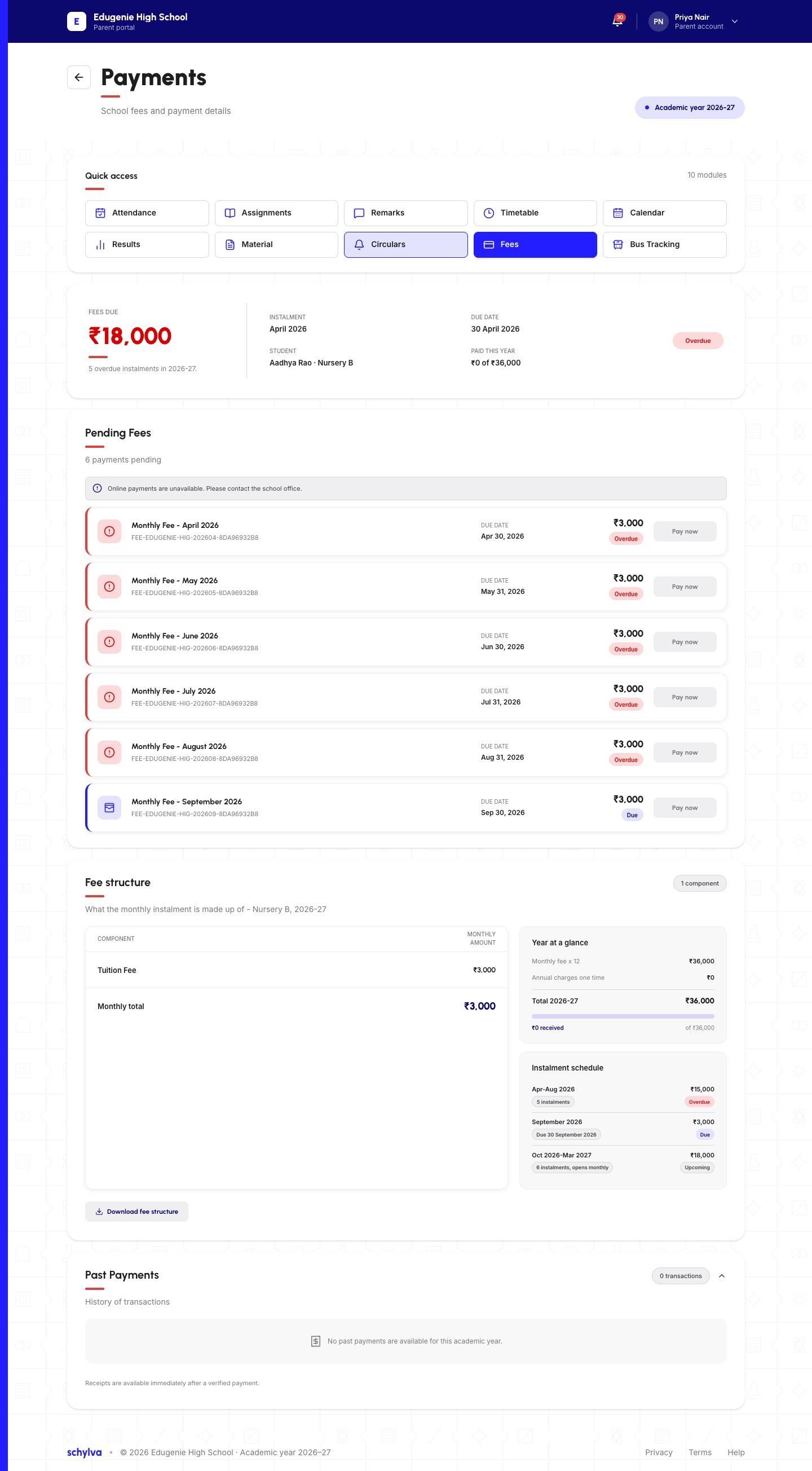
Online payments are unavailable in this capture. This shows fee visibility, not working checkout.
Captured state: online payments unavailable.The original screen is unchanged. This is fee visibility, not an enabled checkout.
Three useful distinctions
Two supported payment branches
Prepare the school record, then follow the relevant path. Expand any step for its action and outcome.
Start here · School setup
Prepare the class and academic-year structure, then review the relevant student or class status.
Set the supported structure for the class and academic year.
School configuration starts the fee workflow.
Open the fee status for follow-up.
Then record offline or offer parent payment.
Choose the relevant payment path.These are alternatives—not consecutive steps.
Authorised administrator
The school records a supported offline payment against the student’s fee record.
Record a supported offline payment against the student's fee record.
It stays at school; Razorpay is not involved.
Linked parent + configured gateway
The linked parent can continue to online payment only after the school has configured Razorpay. Verification comes before the fee-status update.
The linked parent reviews the child's due information and history.
Only configured online payment continues to Razorpay.
The parent starts payment; Schylva creates the order and Razorpay processes checkout under its terms.
Razorpay charges remain payable by the school.
Schylva verifies the completed Razorpay payment before updating the fee record.
It can appear in status and history, but is not a formal receipt or accounting record.
Workflow explanation, not an interactive checkout. Expand a step to read its action and outcome. No payment can be made on this page.
Who does what
Different responsibilities and permissions—not two versions of the same account.
Configure supported structures, review fee status and record supported offline payments.
For administratorsReview the child's fee status and history, then use Razorpay when enabled.
For parentsProduct evidence, with context
The desktop payment-unavailable state is preserved. Neither capture is proof of a working checkout.
Parent · responsive web
The actual phone-sized Parent dashboard, with original demo balances and shortcuts preserved.
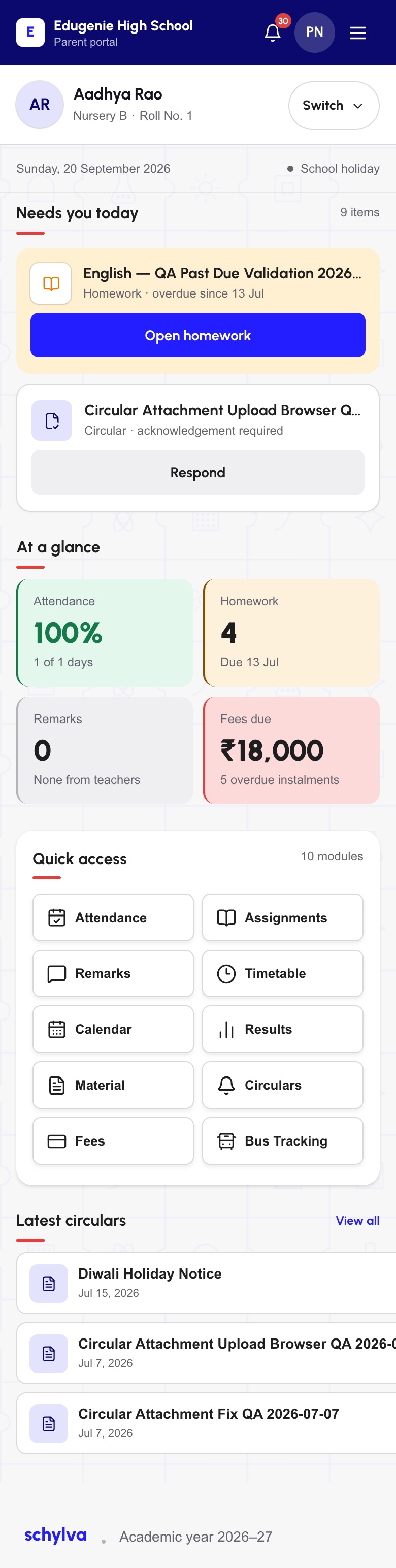
Mobile web, not a native app. Original demo balances, QA wording and shortcuts are retained. The Bus Tracking shortcut is not a claim of live GPS availability.
Screenshots show approved demo data from the web application. Demo balances are illustrative, not Schylva subscription prices or customer results. iOS and Android apps remain in development.
Know the scope
Check your requirements against the current web workflow. School-specific decisions come next.
Confirm for your school
Prepare for a 45-minute walkthrough with a redacted or sample structure. Confirm your school’s roles, parent-visible information and whether and how to configure Razorpay.
Use one redacted or sample class structure.
Name the authorised users and normal process.
Online parent payment requires it; provider charges remain separate.
List the fee status, history and payment option needed.
A few useful answers
Authorised administrators configure supported fee structures, review class or student status and record supported offline payments.
Yes, when the school configures Razorpay. Schylva creates and verifies the order; Razorpay processes the transaction under its terms.
Yes. Authorised administrators record supported offline payments against the student's fee record. Confirm the exact process during the walkthrough.
Schylva supports Razorpay for parent payment. Its charges remain payable by the school; processing is not free and every gateway is not supported.
No. Schylva is not full accounting or a general ledger. Invoices, allocations, concessions, scholarships, refunds, formal receipts and automatic reconciliation are excluded.
No. The supported online-payment journey is for linked parents; student self-payment is not currently available.
Fee-focused next step
Bring a redacted class structure, the offline process and your parent-payment questions. We will compare both paths with your needs.
Back to all featuresShare only your approximate student count and priorities. Never send student records, bank or payment credentials, Razorpay keys or production data. We respond within two working days.