School administrators
Maintain the supported academic foundation.
Authorised administrators prepare class and section context, then use timetable, exam and other school workflows permitted for their account.
Explore Schylva for school administratorsSchool academic management
Connect configured classes and sections to Teacher schedules, supported homework and study materials, exam and result records, and the relevant Parent or Student view.
Schylva connects school operations; it is not a full learning-management system, virtual classroom or curriculum-planning platform.
Start with the school’s schedule
Reviewed sample data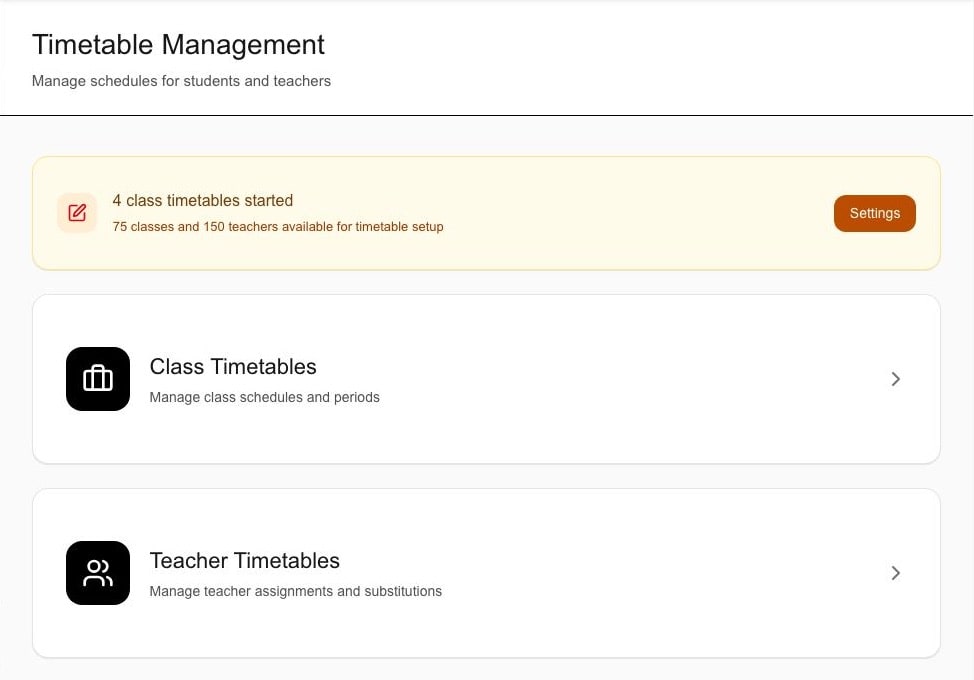
The screen shows separate class and Teacher timetable entry points and a sample setup summary. It does not prove schedule creation, saving, conflict handling or automatic generation.
One academic context
A configured class and section anchor schedules, learning work, materials, assessment records and the appropriate account view.
The school establishes the class, section, class-teacher and account context used by these workflows.
Teachers use their assigned schedule, class or subject context for available homework and study-material workflows.
Parents and Students open the timetable, assigned work, materials, calendar information or published result relevant to the linked account.
The class-context map
See how school setup connects schedules, homework and assessments to the appropriate account. Each area keeps its own responsibilities and permissions.
The shared foundation
The school prepares the class, section, class-teacher and relevant account relationships.
Daily work can reference configured school records instead of a separate class list.
See who maintains and who reviewsThree connected work areas · not a required sequence
The Teacher view presents the available timetable, class and subject allocation and relevant exam visibility for the signed-in account.
The teacher can identify the appropriate class context without gaining school-wide timetable or setup control.
Explore timetable managementTeachers can create supported homework and upload supported study materials for an available class or subject audience.
The assigned work or material remains associated with the relevant school context and protected account path.
Explore homework and materialsAuthorised school users maintain supported exam, subject, marks and publishing records through the Exams & Results workflow.
Academic Management stays connected to assessment context without implying arbitrary grading configuration, moderation or document generation.
Explore exams and resultsRelevant information, through the linked account
A Parent opens information for an appropriately linked child; a Student opens the timetable, work, materials, calendar information or published result associated with their own account.
The role receives a focused academic view without access to school setup or another Student's records.
Inspect the supporting screensExpand a checkpoint to read its responsibility and limits. This is an explanatory map—not a live school workspace or an automatic approval flow.
A closer look · Homework
Teachers create supported homework and upload supported study materials for the available class or subject. Hand-ins have specific account, file and timing rules.
See the full homework workflowNo automatic grading, rubrics, gradebook synchronisation, arbitrary score scales, collaborative assignment editing or unlimited resubmission is claimed.
Connected does not mean unrestricted
School records stay connected while setup, teaching work and linked access remain separate.
Maintain and teach
Authorised administrators prepare class and section context, then use timetable, exam and other school workflows permitted for their account.
Explore Schylva for school administratorsTeachers review their available schedule and use supported homework and study-material workflows for the configured class context.
Explore Schylva for teachersAccess the relevant academic view
Parents open the relevant timetable, assigned work, materials, calendar information and published results made available for an appropriately linked child.
Explore Schylva for parentsStudents review the relevant schedule, work, materials, calendar information and published results without access to another Student's records.
Explore Schylva for studentsLook at the actual product
These are separate supporting screens, not a before-and-after record or proof of a completed end-to-end workflow.
School workspace · Empty editor
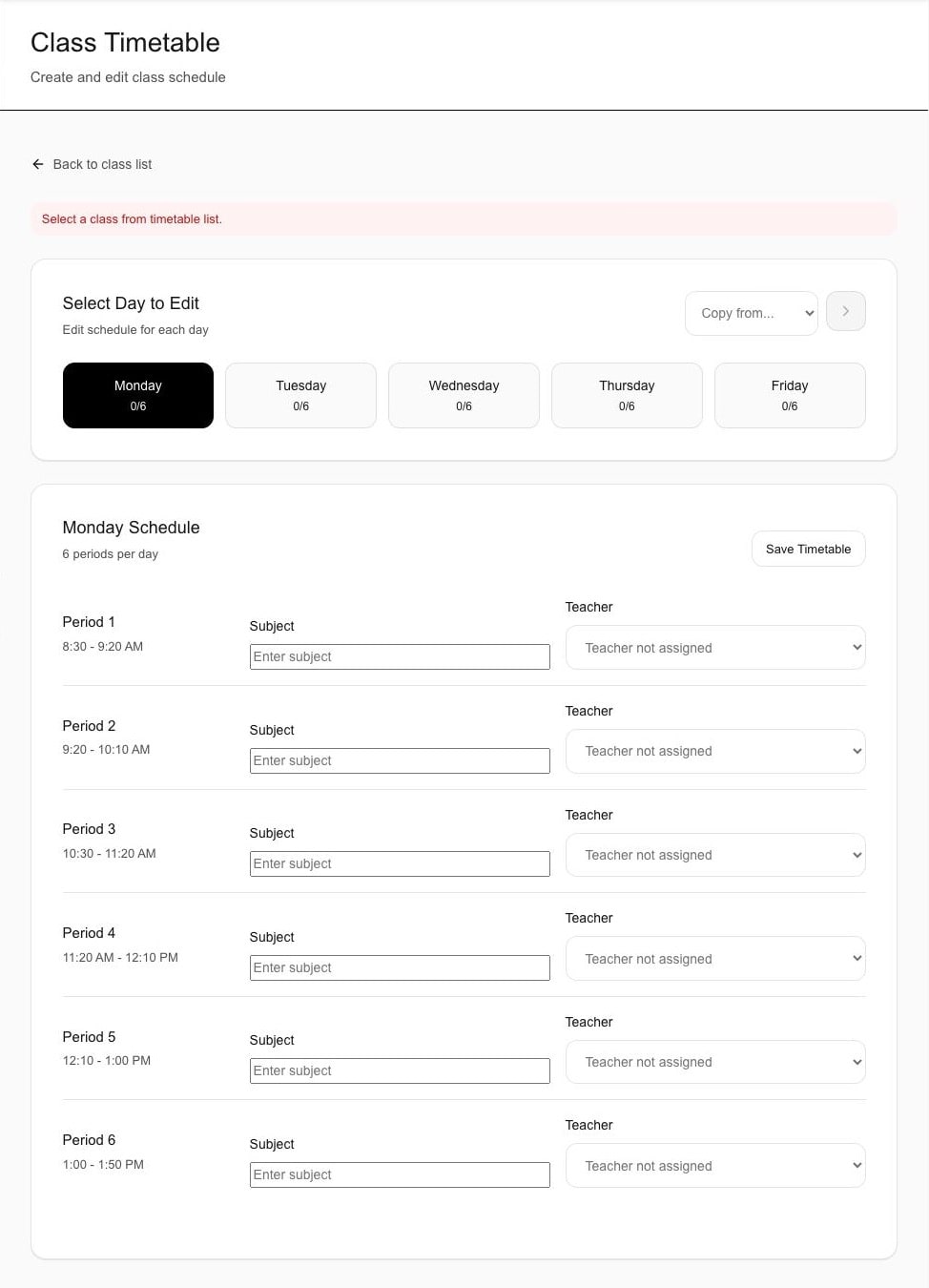
The visible empty state shows a prompt to select a class from the timetable list, weekday controls and period fields. It does not prove a selected class, saved timetable, persistence, substitution or conflict outcome.
Focused product screen · fictional sample data · identity removed.
Student account · Published result
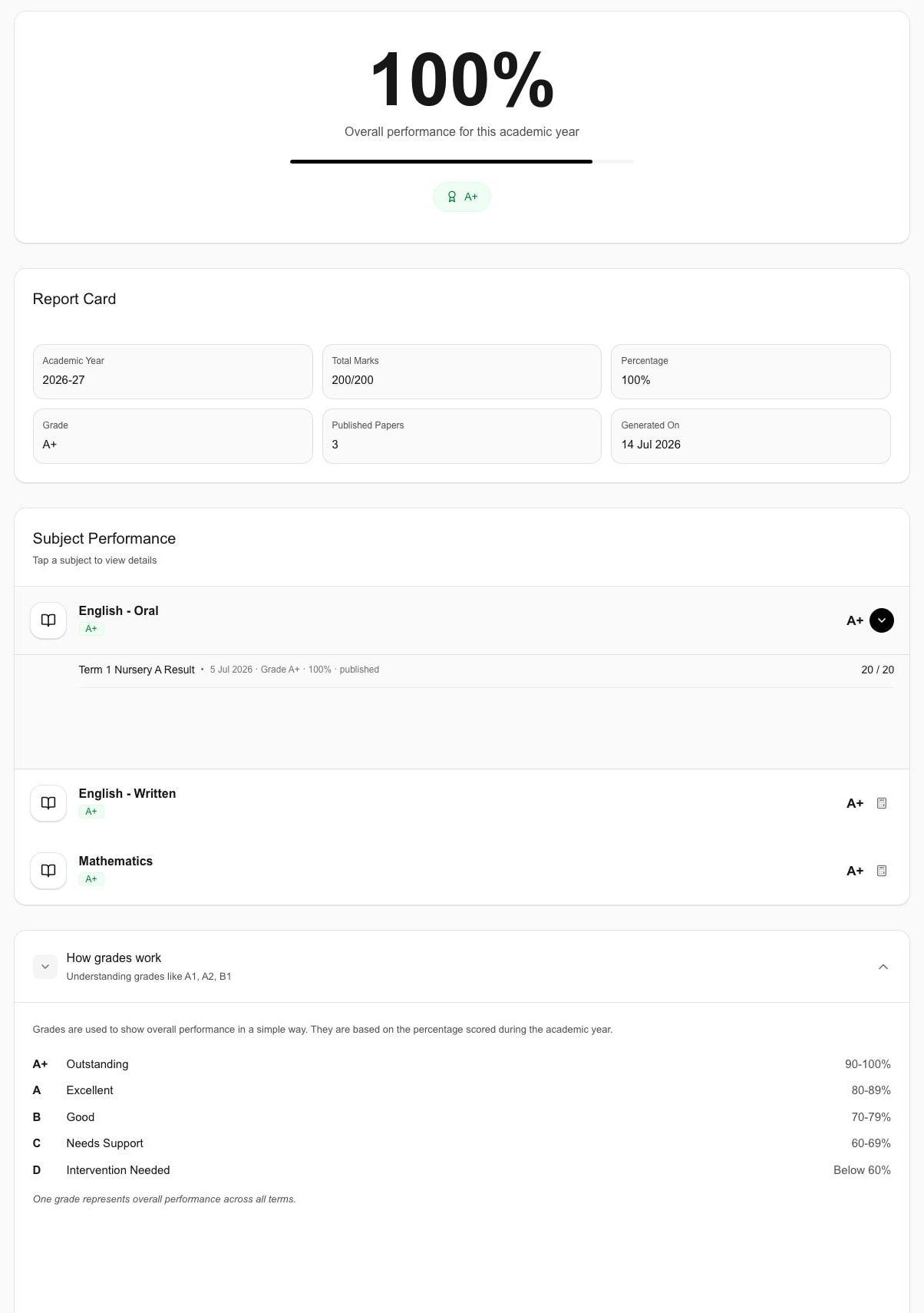
The screen shows sample overall performance, grade, totals and subject-level information. It does not prove a Parent view, grading configuration, board-specific formatting, PDF generation, moderation or publishing history.
Focused product screen · fictional sample data · identity removed.
A practical boundary
Confirm the school's structure, responsibilities and required outputs without extending the current claim beyond the available workflows.
Not included in this claim
Make the walkthrough useful
A fictional or fully redacted class example is enough to evaluate responsibility, visibility and the boundary between connected feature areas.
Bring a fictional class, section, class-teacher and subject context to compare with the supported school setup.
Choose one timetable responsibility and one homework or study-material example without sharing production files.
Use a redacted timetable, calendar or published-result expectation to confirm the appropriate Parent and Student view.
Academic management questions
It connects supported class and section context with available Teacher schedules, homework, study materials, calendar information, exams, published results and the relevant role-specific views.
No. This page does not claim live or recorded classes, video conferencing, course authoring, curriculum mapping, collaborative learning tools or adaptive learning.
Authorised school users maintain the supported foundation and operational records. Teachers use their configured responsibilities; Parents see information for appropriately linked children; Students see information associated with their own account.
Yes. Teachers can create supported homework and upload supported study materials for an available class or subject context. A linked Parent or signed-in Student can hand in an available assignment using 1–5 PDF, JPG or PNG files up to 10 MB each by 11:59 PM on the due date in the school's configured timezone, or during a per-student window reopened by the class Teacher for an overdue active assignment. The assignment owner or class Teacher can review it, optionally score reviewed work from 0–100, or return for changes with required feedback.
This page does not make that claim. Bring the school's required grading scale and report-card format so its availability can be confirmed during evaluation and implementation.
This page describes the current web workflow and does not claim currently-live mobile availability or academic notifications. Review the separate Mobile Apps page and confirm launch status before relying on mobile access.
Academic-workflow next step
Bring a fictional class and section, one Teacher responsibility, one homework or material example and the academic view the appropriate account should receive.
Share only approximate student count and evaluation priorities—never production Student names, marks, files or screenshots. We respond within two working days.