School administrators
Maintain class and teacher schedules and the available substitution context.
For administratorsSchool timetable management
Maintain class and teacher schedules. Give teachers, parents and students the timetable that belongs to them.
Maintained by authorised administrators.
Viewed through the relevant school account.
Inside Skyva · administrator workspace
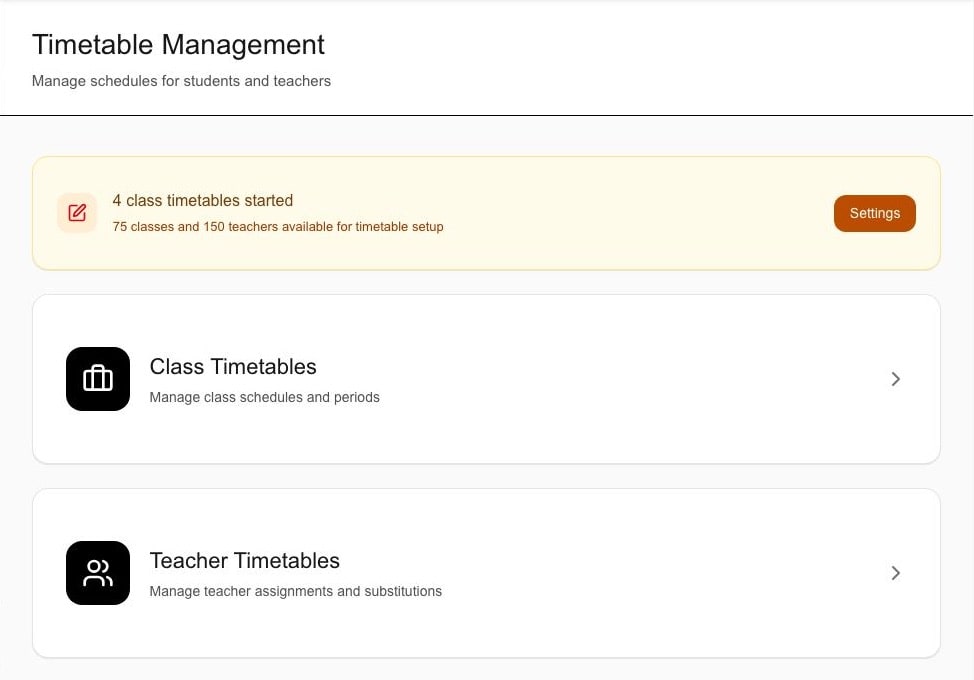
Class and teacher entry points, not completed schedules. Sample counts are not adoption metrics or product limits.
The starting point
Schedules connect to your school’s setup—not a separate timetable image.
How it works
Start with the school’s setup, then follow a class or teacher timetable. Expand a step for the detail.
School administration
Set up the academic structure, then work with class and teacher schedules.
The school prepares classes, sections, subjects, teachers, working days and periods for the relevant academic context.
Schedule maintenance begins from configured school information rather than a separate timetable image.
Link to this stepThe administrator opens the relevant class and uses the available timetable workflow to maintain its supported entries.
The class schedule stays attached to its selected academic context.
Link to this stepThe administrator reviews the supported teacher timetable and the class or subject context associated with it.
The teaching schedule remains connected to the maintained school timetable.
Link to this stepOptional workflow
NOT A REQUIRED DAILY STEP. Review your school’s substitution procedure.
Where the current workflow supports it, the administrator records the relevant period, date and substitute teacher context.
The substitution stays associated with the timetable context; automatic substitute selection is not claimed.
Link to this stepSigned-in accounts
These are separate role views, not a sequence of approvals.
The Teacher experience presents the available timetable with its relevant class, subject and academic context.
The teacher starts from the maintained school schedule without timetable-editing access being implied.
Link to this stepThe Parent or Student experience presents the timetable associated with the configured school account and student relationship.
The personal view remains connected to the school-maintained timetable.
Link to this stepWorkflow explanation, not a live timetable. The preview cannot edit schedules, select a substitute or send timetable alerts.
Who uses it
Viewing a timetable does not grant timetable-editing access.
Maintain class and teacher schedules and the available substitution context.
For administratorsReview the assigned timetable with its class, subject and academic context.
For teachersOpen the timetable associated with the linked child.
For parentsReview the timetable associated with the student account.
For studentsClass editor · reviewed sample data
A closer look
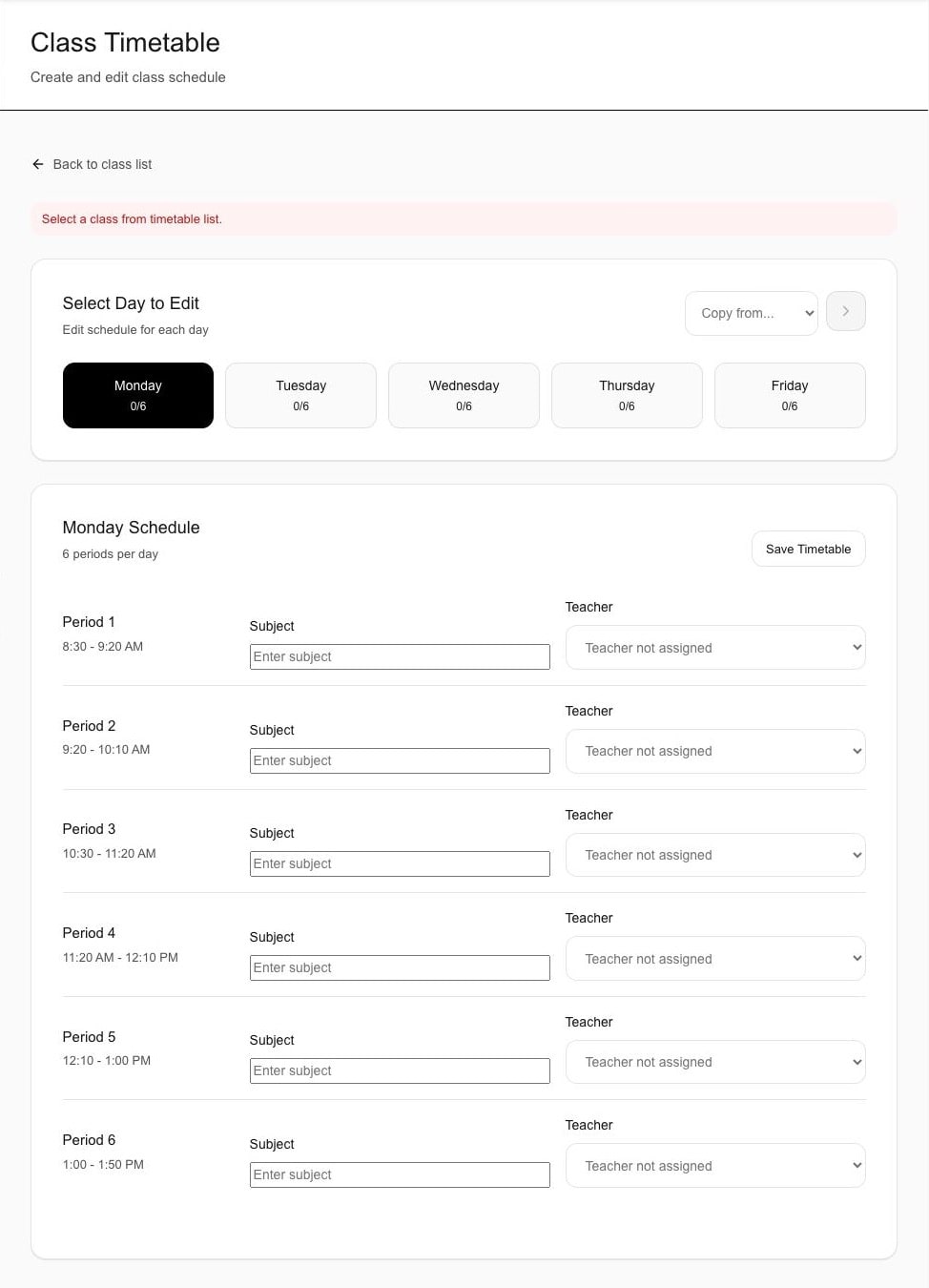
The class selector, weekdays and period fields are visible in this administrator capture.
These are unchanged, already-public reviewed assets with sample school data. Responsive web is separate from the in-development iOS and Android apps.
What to expect
Check the workflow against your school’s requirements before deciding.
Make the demo useful
Confirm class, section, subject and teacher relationships, the people maintaining schedules, and what each role should see.
Bring one sample class timetable so the day-and-period structure can be compared with the supported workflow.
Name the authorised users, one teacher allocation and what each signed-in role should review.
Use one sample period, date and substitute-teacher scenario to check the available workflow.
A few useful answers
Yes. The current scope includes supported class timetable creation and editing and supported teacher timetable management within the configured school context.
Yes. The available class timetable workflow supports day-and-period schedule maintenance. Use the demonstration to check the exact fields, save behaviour and conflict handling your school requires.
The current timetable workflow includes available teacher-substitution context. Confirm the exact period, date, teacher and conflict behaviour during evaluation; automatic substitute selection is not claimed.
Yes. The Teacher experience can present the schedule and relevant class, subject or academic context available to the signed-in account. Timetable-editing access is not implied.
Yes. The Parent and Student experiences can present the timetable associated with the configured school account and student relationship.
No. Automatic timetable generation, advanced optimisation and a currently-live mobile timetable-alert claim are outside the current scope. Review the mobile-app page separately for launch status; WhatsApp, email and non-login SMS timetable alerts are not claimed.
See it for your school
Explore class and teacher timetables, a substitution scenario and the relevant signed-in views.
Share only your approximate student count and evaluation priorities—never production student or staff records. We respond within two working days.