{"@context":"https://schema.org","@graph":[{"@type":"WebPage","@id":"https://schylva.com/solutions/teachers/#webpage","url":"https://schylva.com/solutions/teachers/","name":"School App and Portal for Teachers in India | Schylva","description":"Explore Schylva’s teacher web portal for schedules, attendance, homework, materials, circulars and remarks. iOS and Android apps are Coming at launch.","isPartOf":{"@id":"https://schylva.com/#website"},"about":{"@id":"https://schylva.com/#organization"},"inLanguage":"en-IN"},{"@type":"BreadcrumbList","@id":"https://schylva.com/solutions/teachers/#breadcrumb","itemListElement":[{"@type":"ListItem","position":1,"name":"Home","item":"https://schylva.com/"},{"@type":"ListItem","position":2,"name":"Solutions","item":"https://schylva.com/solutions/"},{"@type":"ListItem","position":3,"name":"Teachers","item":"https://schylva.com/solutions/teachers/"}]}]}
Share your school context and approximate student count. We target a response within two working days. Working days exclude weekends and public holidays.
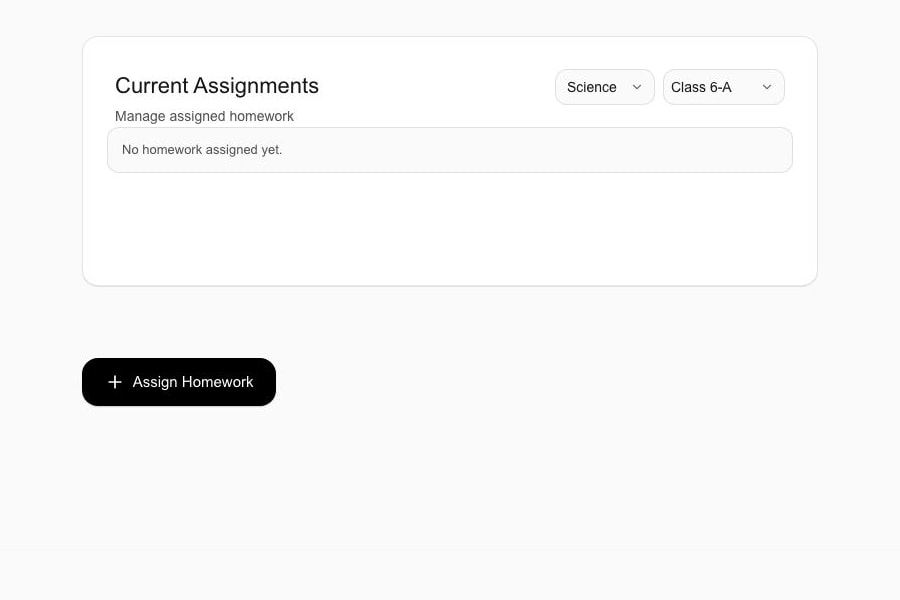
Reviewed sample school data. An empty assignment list and creation entry point—not a published assignment, hand-in or reviewed submission. Screenshot controls are not interactive.
Move from attendance to homework, study materials, circulars, student remarks and relevant exam information while each supported update is made available in the appropriate school, parent or student view.
Designed for schools across CBSE, ICSE and State Board contexts
One teacher workspace
Keep your class context. Move to the next action.
The school prepares the context, the teacher completes the next action, and Schylva carries the relevant outcome to the right role.
A repeatable way to review the work
01Open the configured day
02Enter the correct class or subject
03Complete the supported action
04Confirm the connected outcome
The school configures access. Each Teacher works within their permitted class and subject responsibilities.
The teaching-day journal
Know the context. Make the class action count.
Four supported tasks, grouped around the school day. The Teacher action comes first; school preparation, connected outcomes and current boundaries stay alongside it.
01
Before class
Start with the right context.
Teacher action
Plan from the schedule
Open the teaching schedule, assigned class and subject context relevant to the signed-in teacher account.
School preparation
Administrators maintain the supported class and teacher timetable context for the configured school.
Connected outcome
The teacher starts from the maintained school schedule while the relevant published timetable view is made available to parents and students.
Current boundary
The current teacher workflow excludes timetable editing, automatic timetable generation, room optimisation and automatic resolution of every scheduling conflict.
Evidence still to capture. A current, reviewed Teacher schedule is required before release. An administrator timetable is not a substitute for the Teacher view.
Submit supported daily attendance and use the available monthly attendance or student-report context.
School preparation
The configured teacher account opens the appropriate class roster rather than an unrestricted school-wide student list.
Connected outcome
The attendance record is made available to the appropriate administrator, parent and student view for that role and relationship.
Current boundary
This workflow currently excludes biometric attendance, staff attendance and correction-approval steps.
Evidence still to capture. A current Teacher daily roster and submission state are required before release. A historical monthly report does not prove this daily action.
Open the homework workspace and create or list supported homework for the appropriate class audience.
School preparation
The school’s class and subject configuration determines the supported audience available to the teacher.
Connected outcome
The published assignment is made available to the relevant parent and student accounts in their own role context.
Current boundary
A linked Parent or signed-in Student can hand in available work by 11:59 PM on the due date in the school's configured timezone, or during a per-student window reopened by the class Teacher for an overdue active assignment.
The assignment owner or class Teacher can review the hand-in, optionally record a 0–100 percentage score on reviewed work, or return for changes with required feedback.
Rubrics, automatic grading, gradebook synchronisation and unlimited resubmission are not current claims.
Evidence boundary. The empty workspace above shows where an assignment starts. Published assignments, hand-in, review, return-for-changes and per-student reopening need current matched captures. Inspect the homework starting point
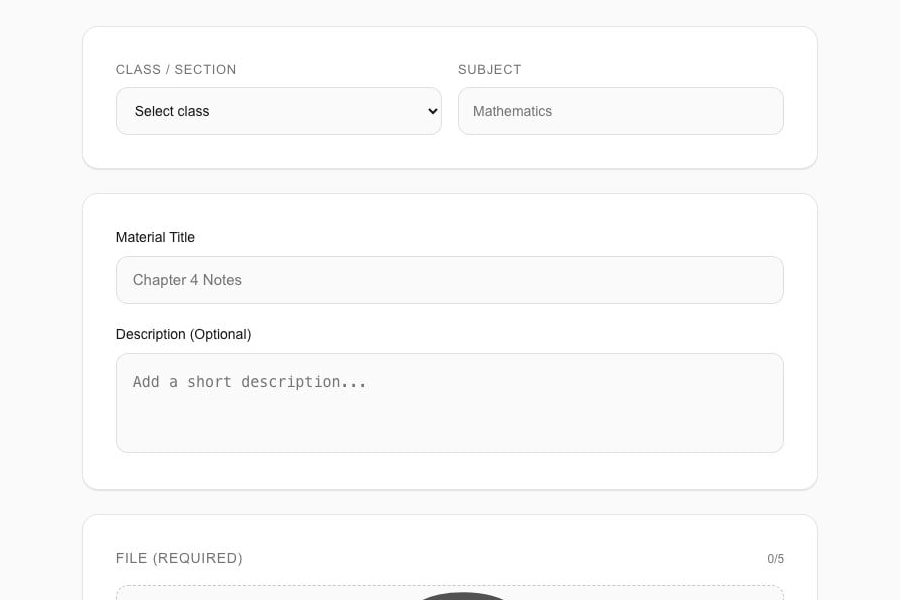
Reviewed sample school data. A preparation form with no class selected and no completed upload shown. It does not prove publication, permitted file limits or recipient access. Separate capture—not one matched assignment or class record.
One class action. The appropriate people, connected.
The school prepares the operating context, the teacher completes the supported class action, and the relevant outcome is made available to the appropriate parent or student view.
Parent and Student access are parallel role outcomes—not sequential approvals. This explains supported relationships, not a verified end-to-end transaction. Private messaging is not currently supported.
Supported teacher scope
A clear role. With clear boundaries.
Compare current web capabilities, planned mobile availability and what is outside the product’s current scope.
Today
Supported web experience
Teacher dashboard, schedule and relevant exam visibility
Class attendance roster, submission, monthly view and supported student reports
Homework creation and listing
Review hand-ins received by 11:59 PM on the due date in the school's configured timezone, or during a per-student window reopened by the class Teacher for an overdue active assignment, for homework the Teacher owns or the Teacher's class; optionally score reviewed work from 0–100 or return for changes with required feedback
Only the class Teacher can reopen a per-student window for an overdue active assignment
Study-material upload and listing
Teacher circular list and detail views
Supported student remarks for the appropriate audience
Teacher adoption depends on configured accounts, classes, sections, subjects and schedules—not on handing staff an empty login and asking them to discover the process alone.
01
School configuration
Prepare supported teacher accounts, classes, sections, subjects, timetable context and relevant school settings.
02
Migration and staff training
Initial migration and staff training are included. The method, records, validation, timing and training arrangement are confirmed in writing.
03
Representative teacher validation
Ask representative teachers to test the configured schedule, class roster and academic workflows before live use.
04
Ongoing product support
Support is included Monday–Friday, 10:00 AM–6:00 PM IST, excluding public holidays, with a 24–48-working-hour resolution target and approved dependency exceptions.
The support resolution time is a target, not a guarantee. Third-party or school dependencies may require additional time.
Teacher apps · Coming at launch
The teacher role. Planned for both platforms.
The apps are not currently available to download. At launch, the approved teacher workflows will use mobile-appropriate navigation and controls without reducing the role to a companion viewer.
Applicable in-app and push notifications are part of launch scope
Login verification SMS delivery is not currently available
No WhatsApp or non-login SMS
Device and platform delivery settings still apply
Optional in-product notification-category controls are not available at launch
Questions teachers and school teams ask
Before the workflow review.
Teacher actions, connected outcomes, rollout and the limits worth checking.
What can teachers do in Schylva?
Teachers can use supported schedule, class attendance, homework, study-material, circular, student-remark and relevant exam-information workflows inside the configured school context.
Can teachers mark and review class attendance?
Yes. Teachers can open the appropriate class roster, submit supported daily attendance and use the available monthly attendance or student-report context. Biometric and staff attendance are not current claims.
Can teachers assign homework and share study materials?
Yes. Teachers can create and list supported homework and upload or list supported study materials for the appropriate class audience. A linked Parent or signed-in Student can hand in available work by 11:59 PM on the due date in the school's configured timezone, or during a per-student window reopened by the class Teacher for an overdue active assignment. The assignment owner or class Teacher can review the hand-in, optionally score reviewed work from 0–100, or return for changes with required feedback.
What exam information can teachers see?
The teacher dashboard and schedule can expose relevant exam information or assigned duties when configured. This page does not promise teacher exam configuration, marks entry, moderation, result publishing or report-card PDF generation.
Can teachers message parents or students privately?
No. Private teacher-parent or teacher-student messaging is not a current claim. Schylva uses supported school records, circulars and remarks; applicable in-app and push notifications are Coming at launch.
How do teacher actions reach parents and students?
A supported teacher action stays inside the configured school, class and subject context. The relevant published record can then appear in the appropriate child-specific parent view or focused student view.
Does the teacher portal work for CBSE, ICSE and State Board schools?
Yes. Schylva supports configurable grading scales and board-specific report-card formats across CBSE, ICSE and State Board contexts. The teacher’s exact exam and assessment responsibilities depend on the school’s configured workflow and should be confirmed during evaluation and implementation.
When will the teacher iOS and Android apps be available?
The complete teacher role experience is Coming at launch for both iOS and Android. The apps are not currently available to download, and store links will appear only after the production listings are verified.
Are teacher training and ongoing support included?
Yes. Initial staff training and ongoing product support are included. Support operates Monday–Friday, 10:00 AM–6:00 PM IST, excluding public holidays, with a 24–48-working-hour resolution target. Third-party or school dependencies can require additional time.
How is school pricing calculated?
School pricing is based on student count and confirmed through a written school-specific quote. Share an approximate student count and Schylva targets a response within two working days.
Trace one real teaching routine
Bring a teaching routine. Trace it together.
Bring one representative teacher timetable, one attendance routine and the academic action teachers repeat most often. We’ll trace the teacher action into the appropriate administrator and family view, then confirm current limits.
Use fictional or redacted examples—not real student records, credentials or confidential school data. Quote response targeted within two working days, excluding weekends and public holidays.