One connected school source
School, account, class and relationship context determine the appropriate experience for each role.
Schylva for every school role
Administrators coordinate the school, teachers move through class work, parents follow each child, and students find the school-day information prepared for their account—all inside the same configured school system.
Start with the role you want to evaluate. Each role page separates current web workflows, mobile launch status and product boundaries.
Explore all featuresSchool, account, class and relationship context determine the appropriate experience for each role.
Four responsibilities, one school context
Each role receives a focused current web experience. Choose a role to inspect its responsibility, supported actions and connection to the rest of the school.
Choose a school role
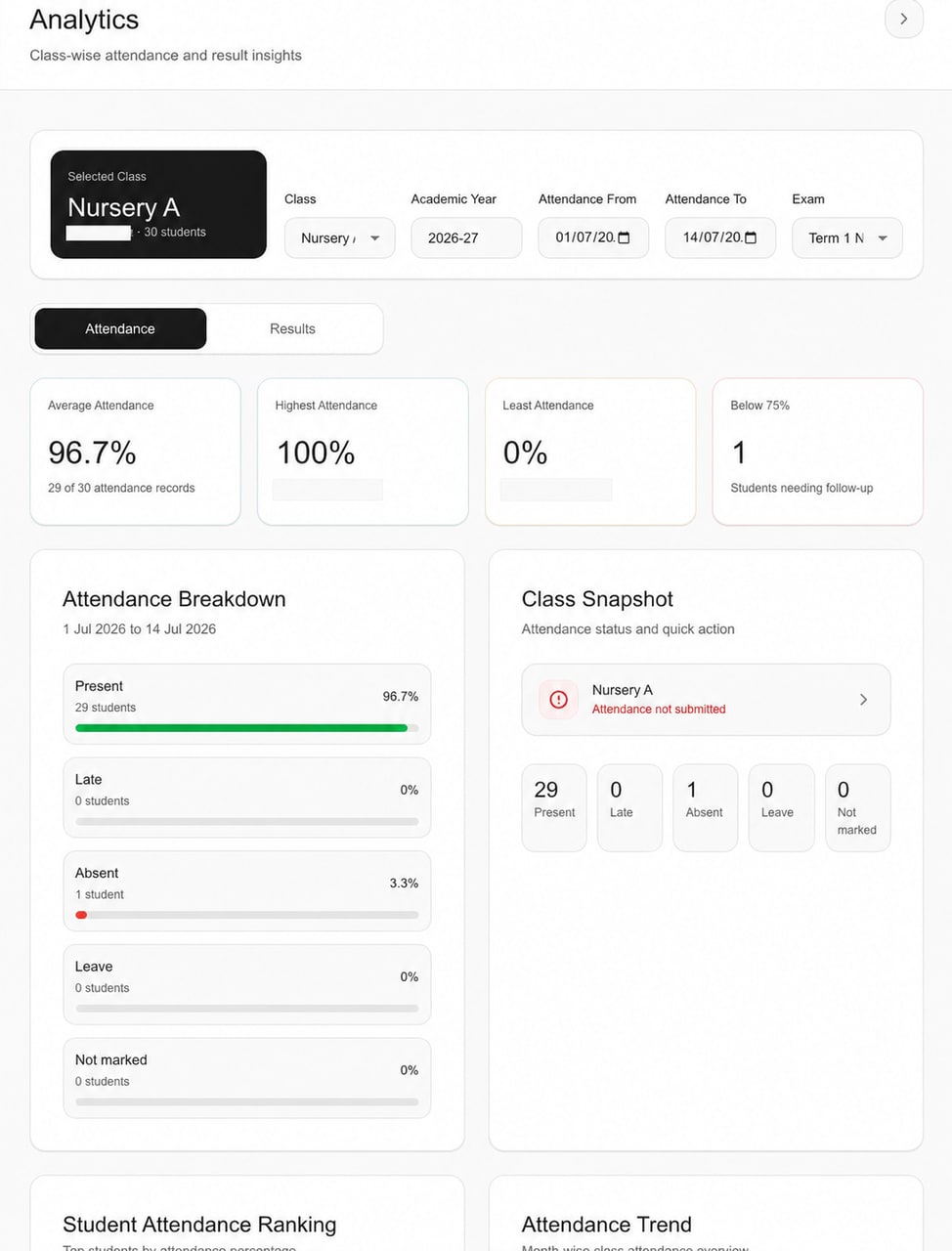
Use the full role pages for complete scope and boundaries.Authorised school leaders work across the people, settings and operational records behind each school day without turning every other role into an administrator.
Teachers, parents and students receive the appropriate configured context while administrators retain supported oversight.

The administrator overview helps an authorised school leader locate the record or workflow that needs attention.
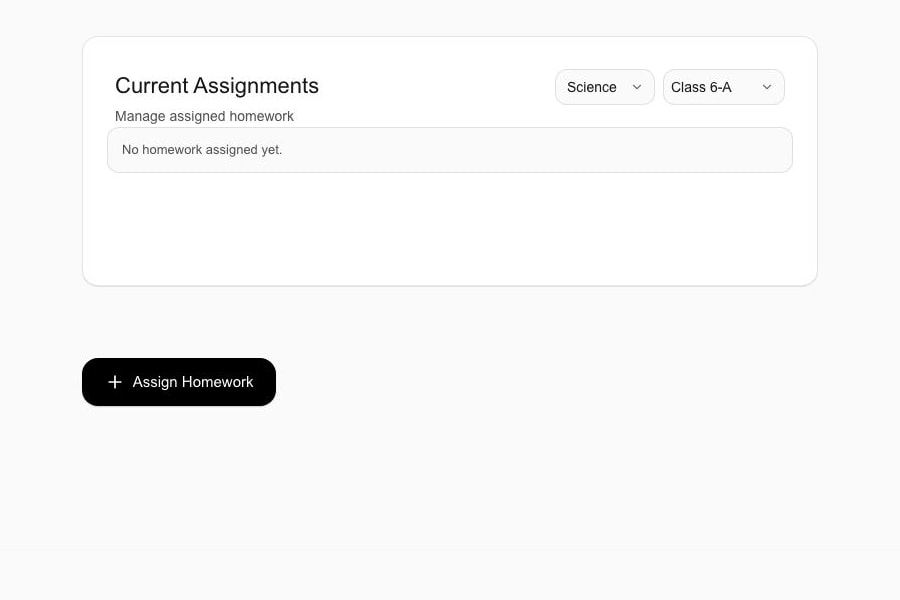
Review school analyticsTeachers begin from the configured schedule and class context, then use the supported attendance, homework, material, circular and remark workflows relevant to their work.
The relevant supported record can remain available to school oversight and the appropriate parent or student view.

The teacher schedule keeps relevant classes, subjects and available exam context inside the signed-in school role.
Review timetable managementParents use the configured family relationship to move between appropriately linked children and review the supported information and actions relevant to the selected child.
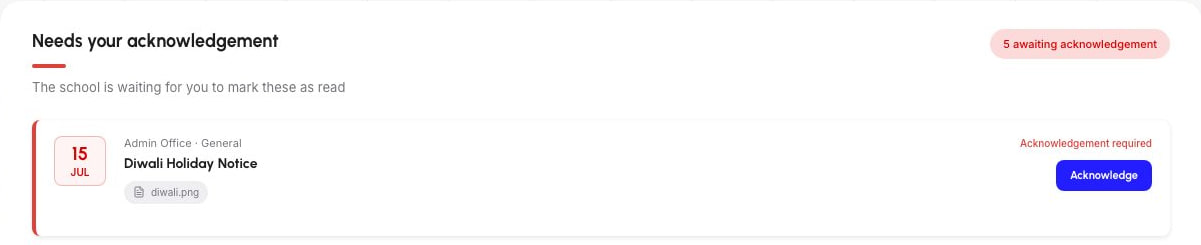
The family view stays attached to the appropriate school, child and underlying record rather than becoming a detached alert.

The parent dashboard keeps the active child and school context visible before the family opens a detailed record.
Review student information workflowsStudents use a focused web portal for the timetable, work, materials, updates and published records relevant to the signed-in Student account.
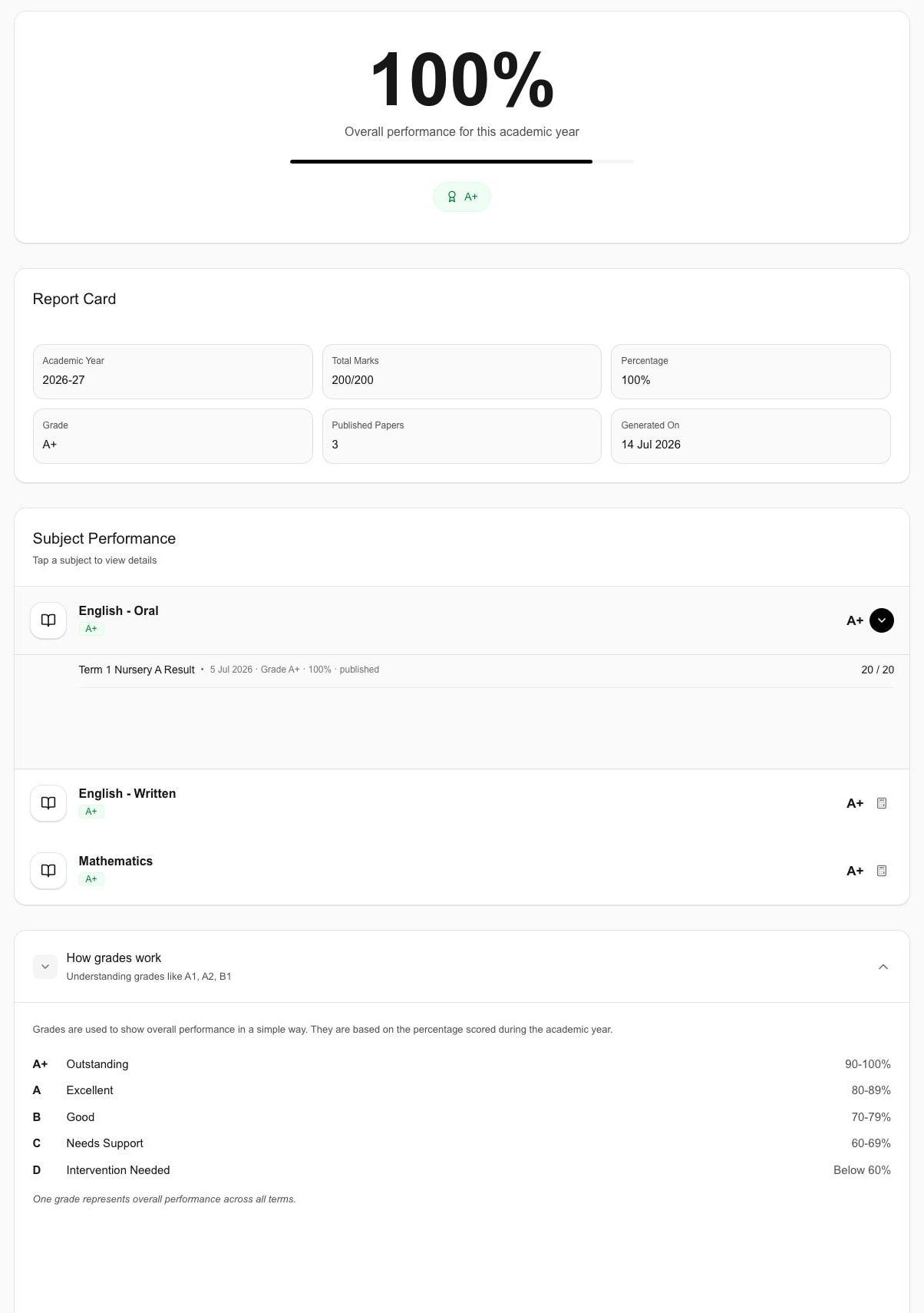
The Student view remains connected to school-prepared records without exposing administrator or Parent actions such as configured fee payment.

This cropped Student view presents published subject-level detail available to the signed-in account.
Review exams and resultsSelecting a role changes this preview only. Each complete role page remains available through a direct link.
One record, appropriate role outcomes
A supported class-attendance action can remain connected to school oversight and the appropriate individual view. The handoff does not require a shared generic dashboard.
The Teacher opens the appropriate class roster and submits the supported daily attendance action.
Explore the teacher attendance workflow →The attendance record remains attached to the configured school, class, Student and date context.
Review attendance management →Authorised administrators use the supported school or class attendance context for review and follow-up.
Explore administrator oversight →The supported attendance information can appear in the appropriate linked-child Parent view or signed-in Student view.
Review linked attendance viewsQuestions schools ask about role experiences
Review role access, connected records, mobile status, communication, implementation and pricing before choosing the next evaluation step.
Schylva has focused current web experiences for authorised school administrators, Teachers, Parents and Students. Each role page explains the supported workflows, connected school source and current limits for that experience.
No. Schylva uses the configured school, account, role and applicable family relationship to present the appropriate experience. This describes the current role model and does not claim absolute isolation or an unrestricted custom-permission designer.
Supported actions stay attached to the relevant school, class, subject, Student or family context. The appropriate record can then appear in authorised school oversight or the relevant Parent or Student view; this does not mean every update reaches every role or appears in real time.
No. The complete approved experience for all four roles is Coming at launch on iOS and Android. The apps are not currently available to download, and store links will appear only after the production listings are verified.
No. WhatsApp and non-login notification SMS are not supported. Login verification SMS delivery is not currently available, while applicable in-app and push notifications remain Coming at launch.
Yes. Schylva supports configurable grading scales and board-specific report-card formats across CBSE, ICSE and State Board contexts. The school's exact academic structure, reporting rules and role responsibilities are confirmed during implementation.
Yes. Initial data migration, staff training and ongoing product support are included. The records, method, responsibilities, validation, timing and training arrangement are confirmed in the school's written implementation scope.
Pricing is based on Student count and confirmed in a written school-specific quote. Share an approximate Student count and Schylva targets a response within two working days; payment-gateway transaction charges remain separate under the provider's terms.
Bring one role handoff
Bring one representative workflow and the roles involved. We will trace the current web experience, confirm the configured handoff and separate mobile launch scope or product limits before the next step.
Share your school context and approximate Student count. We target a response within two working days.