Included
Standard launch services
- Standard onboarding
- Initial school configuration
- Initial data migration
- Staff training
- Ongoing product support
School ERP implementation and onboarding
Schylva turns your school’s priorities into a written rollout plan covering initial migration, configuration, role-based validation, staff training, go-live and ongoing support.
No student records or confidential school data are required. We respond to demo and quote enquiries within two working days, excluding weekends and public holidays.
Scope, owners and acceptance checks are confirmed before activation.
Representative records and priority role workflows are reviewed.
Your school confirms readiness before moving into live use.
The rollout playbook
Read the school’s part, Schylva’s part and the checkpoint together. These are implementation responsibilities—not live project status or automatically completed tasks.
Understand the starting point
Review the academic year, board context, school structure, priority workflows and the people responsible for decisions.
Review the connected platformMake the plan explicit
Define the first rollout around the school’s priorities, owners, migration needs, validation checks and go-live decisions.
See what the written plan confirmsPrepare reliable inputs
Bring the school foundation, owners and launch priorities into a reviewable context before configuration and migration proceed.
Review the school information foundationBuild the approved environment
Apply the agreed school structure, role-account foundation and initial migration scope, then prepare representative records for school review.
Review role and account preparationTest the real roles
Review the administrator, teacher, parent and student paths included in the agreed launch scope, then record open actions.
Review the four role experiencesMove into live use
Go-live follows the agreed checks and the school’s readiness decision. Ongoing support begins through the enrolled-school route provided during onboarding.
Review support after go-liveKnow what you are agreeing to
Standard onboarding and launch services are included. The operational detail, owners and acceptance checks belong in the school’s written implementation scope.
Included
Confirmed in writing for the school
Payment-gateway transaction charges remain separately payable under the selected provider’s applicable terms.
School updates use app notifications. Login verification SMS delivery is not currently available, and WhatsApp or non-login SMS are not supported product channels.
Validate the required login-delivery path separately; a configured web code does not prove SMS delivery.
Before configuration begins
The school owns decisions and source information. Schylva configures and guides. Both sides review the result before live use.
School decides and provides
Schylva configures and guides
Both validate and approve
Reliable inputs, reviewable records
Identify who can supply and verify the agreed information. Provide records only through the implementation route agreed with Schylva—not through a demo or quote form.
Static web evidence · sample school data
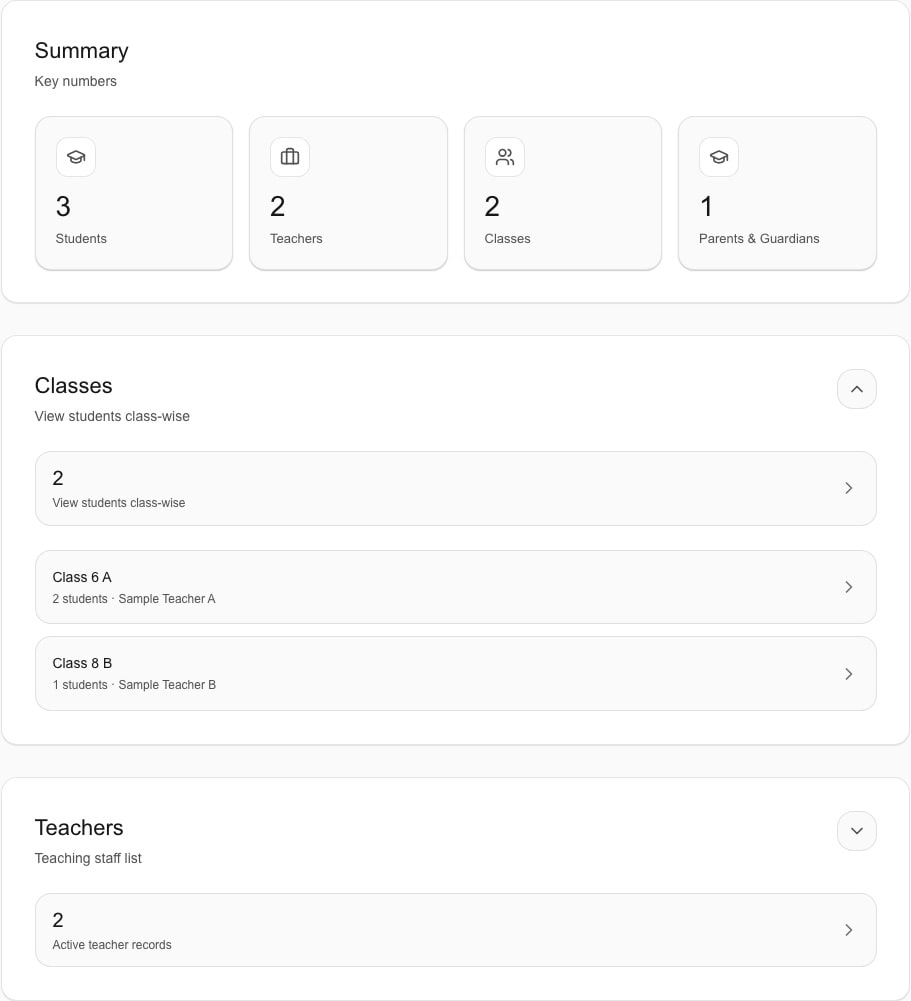
Sample totals and class rows—not proof of a completed import, verified guardian relationships or reconciled migration. The related records still need representative checks.
Review student informationStatic web evidence · sample school data
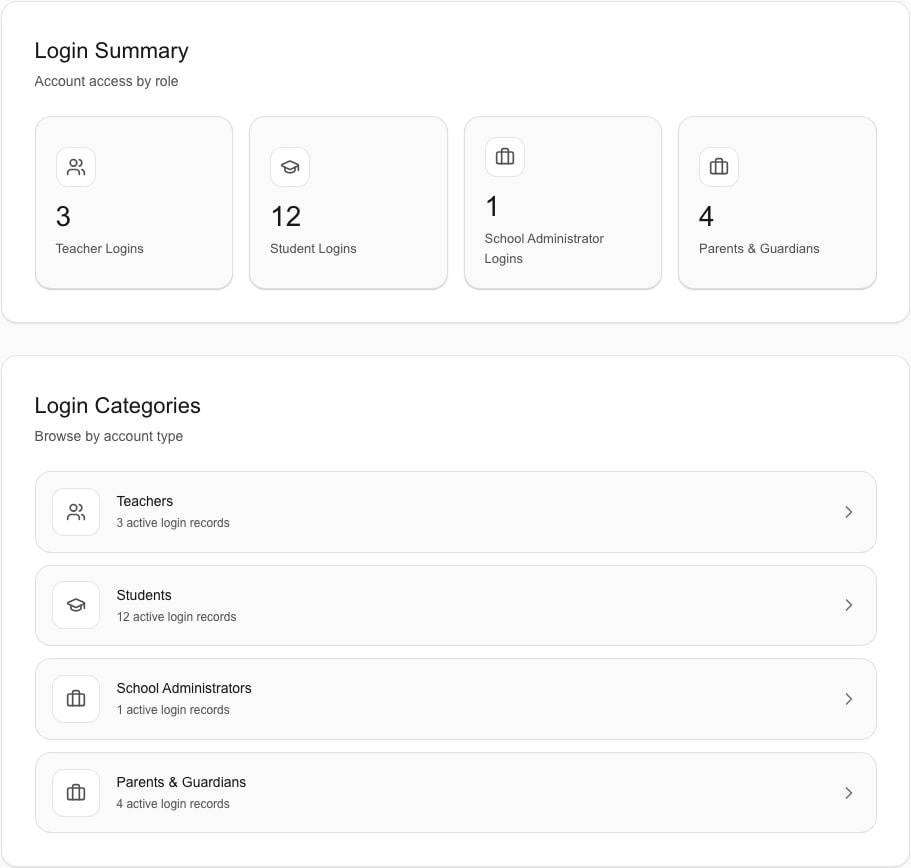
An independent static account overview. These are not the same school records as the people example, adoption metrics or evidence of tested access and login delivery.
Review user and access managementBefore the first rollout discussion
This checklist helps prepare a conversation. Final timing depends on your school’s scope, information, owners and decisions.
A private preparation checklist
Review your starting context. This is not a migration audit, a duration estimate or approval to go live.
7 items still to review. Discuss these with Schylva rather than deciding them alone.
Selections are not saved or submitted. Refreshing this page clears them.
JavaScript is required for the count, result, copy and reset controls. Until loading finishes, use the visible seven-item list as a manual discussion guide instead.
Separate from the preparation checklist
School approval follows the agreed validation. Ticking seven preparation items does not clear these go-live gates.
Train around the work
Staff training is included. Administrators, teachers and relevant accounts or academic leads join the checks connected to their work. Parent and student access is validated when it is part of the agreed launch scope. Session count, duration, participants and delivery method are confirmed in the written implementation scope.
School administrators
Administrators and relevant accounts or academic leads validate the configuration and specialist workflows connected to their work.
Review school administratorsTeachers
Teachers validate priority workflows such as attendance and relevant academic work before live use.
Review teachersParents
Parents validate the authorised access and information paths included in the agreed launch scope.
Review parentsStudents
Students validate the authorised access and information paths included in the agreed launch scope.
Review studentsStatic web evidence · sample school data
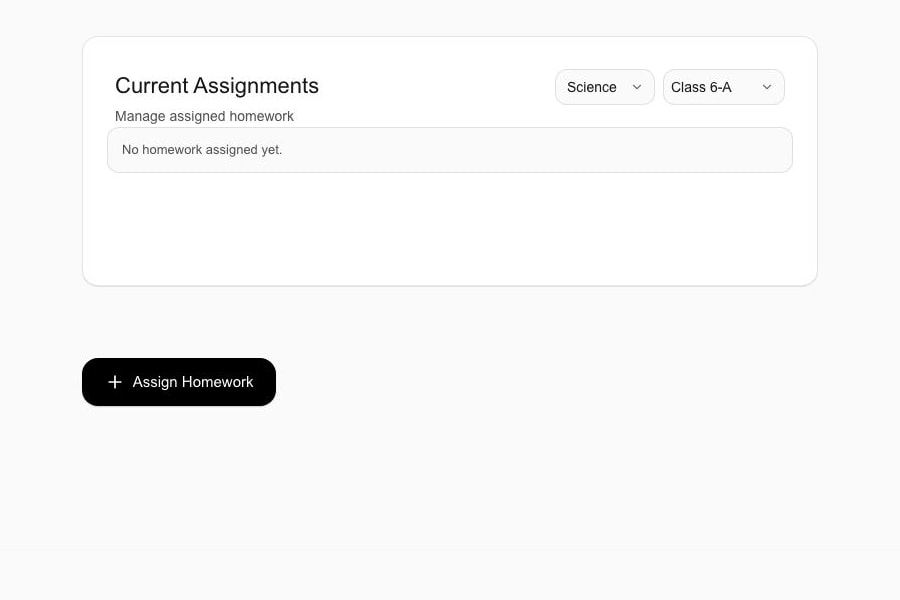
This empty assignment workspace is not an attendance roster or a completed publishing, hand-in or review path. Current daily-attendance and matched workflow evidence remain required.
Review daily attendance validationStatic web evidence · sample school data
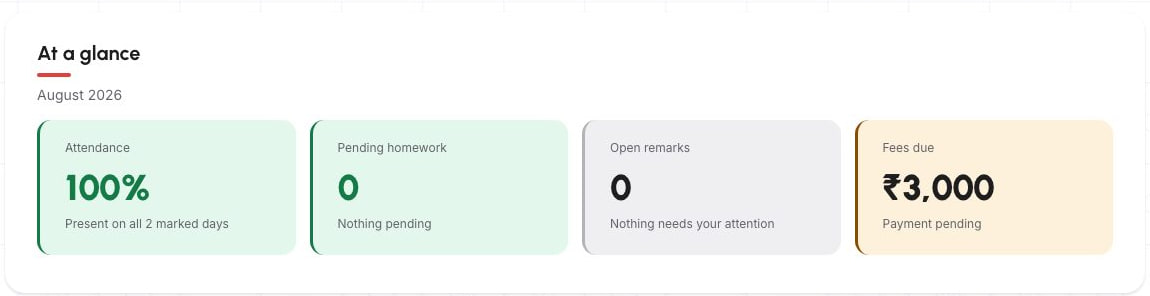
The sample 100% refers to only two marked days. The amount due is not pricing or proof of payment availability. This is not a matched result of the Teacher example.
Review the Parent experienceKeep release states separate
Complete administrator, teacher, parent and student experiences across web, iOS and Android are coming at launch with the complete approved launch feature set. Mobile access follows the same school, account and role foundation validated during implementation.
Review the mobile-app launch planAfter go-live
Ongoing product support is included. Its resolution target is separate from the response time for demo and quote enquiries.
Included
Ongoing product support is included after go-live.
Support hours
Support excludes public holidays.
Resolution target
Schylva targets resolving product issues within 24–48 working hours; this is not an unconditional guarantee.
When more time may be required
Additional time may be required when resolution depends on a third-party service, required school information or action, or circumstances outside Schylva’s reasonable control.
Enrolled-school route
Enrolled schools receive their dedicated email or support route during onboarding.
Sales enquiries
Demo and custom-quote enquiries receive a response within two working days, excluding weekends and public holidays. This is separate from the support-resolution target.
Bring a practical brief
Use these guides to prepare responsibilities, evidence and acceptance checks—not to upload school records.
Implementation questions
Standard onboarding, initial school configuration, initial data migration, staff training and ongoing product support are included. The school-specific written implementation scope confirms the launch scope, owners, migration details, validation checks, training arrangement, timing and enrolled-school support route.
There is no universal implementation duration. Timing depends on the school’s size, preparation and source-information readiness, configuration breadth, agreed rollout scope, dependency turnaround and school decisions. The school-specific written implementation scope confirms the timing and go-live plan.
No. Schylva’s complete approved launch feature set is available at product launch, while each school can prioritise the modules and role workflows in its written implementation plan. The sequence and readiness checks are agreed with the school before live use.
Yes. Initial data migration is included. The records in scope, formats, method, rounds, validation steps and timing are confirmed in the school’s written implementation plan. Representative migrated records are reviewed with the school before live use.
Prepare the academic year, board context, classes and sections, people and guardian relationships, roles and accounts, relevant configuration and priority launch workflows. Identify a school decision-maker, source-information owner and operational contacts. Provide records only through the implementation route agreed with Schylva; demo and quote forms are not intended for student records or confidential school data.
The school should nominate a decision-maker, a source-information owner and the operational contacts needed for the agreed workflows. Schylva configures and guides the rollout, while the school reviews its structure, provides required decisions and confirms readiness for live use.
Yes. Staff training is included. Session count, duration, participants and delivery method are confirmed in the school’s written implementation scope.
Yes. Schylva supports board-specific report-card formats and configurable grading scales for CBSE, ICSE and State Board school requirements. The school’s exact academic structure and reporting rules are reviewed during implementation.
Complete administrator, teacher, parent and student experiences across web, iOS and Android are coming at launch with the complete approved launch feature set. The relevant role and access paths are reviewed as part of the school-specific rollout scope.
Ongoing product support is included. Support operates Monday–Friday, 10:00 AM–6:00 PM IST, excluding public holidays, with a target of resolving product issues within 24–48 working hours. Additional time may be required when resolution depends on a third-party service, information or action from the school, or circumstances outside Schylva’s reasonable control. Enrolled schools receive their dedicated support route during onboarding.
No. Completing a demo, requesting a quote or starting an implementation discussion does not qualify a school. Qualification requires completed school-account activation by 31 March 2027 at 11:59 PM IST.
Plan around the school
Tell us your approximate student count, priority workflows and preferred launch window. No student records or confidential school data are required. Schylva responds within two working days, excluding weekends and public holidays, to confirm the right next conversation.