Teachers
Teachers open the appropriate class roster and record the day’s attendance.
For teachersSchool attendance management
Teachers mark the assigned class. Administrators review the school record. Parents and students see the attendance relevant to them.
One record, with access shaped by each school account.
Inside the Teacher web portal
Historical August 2026 report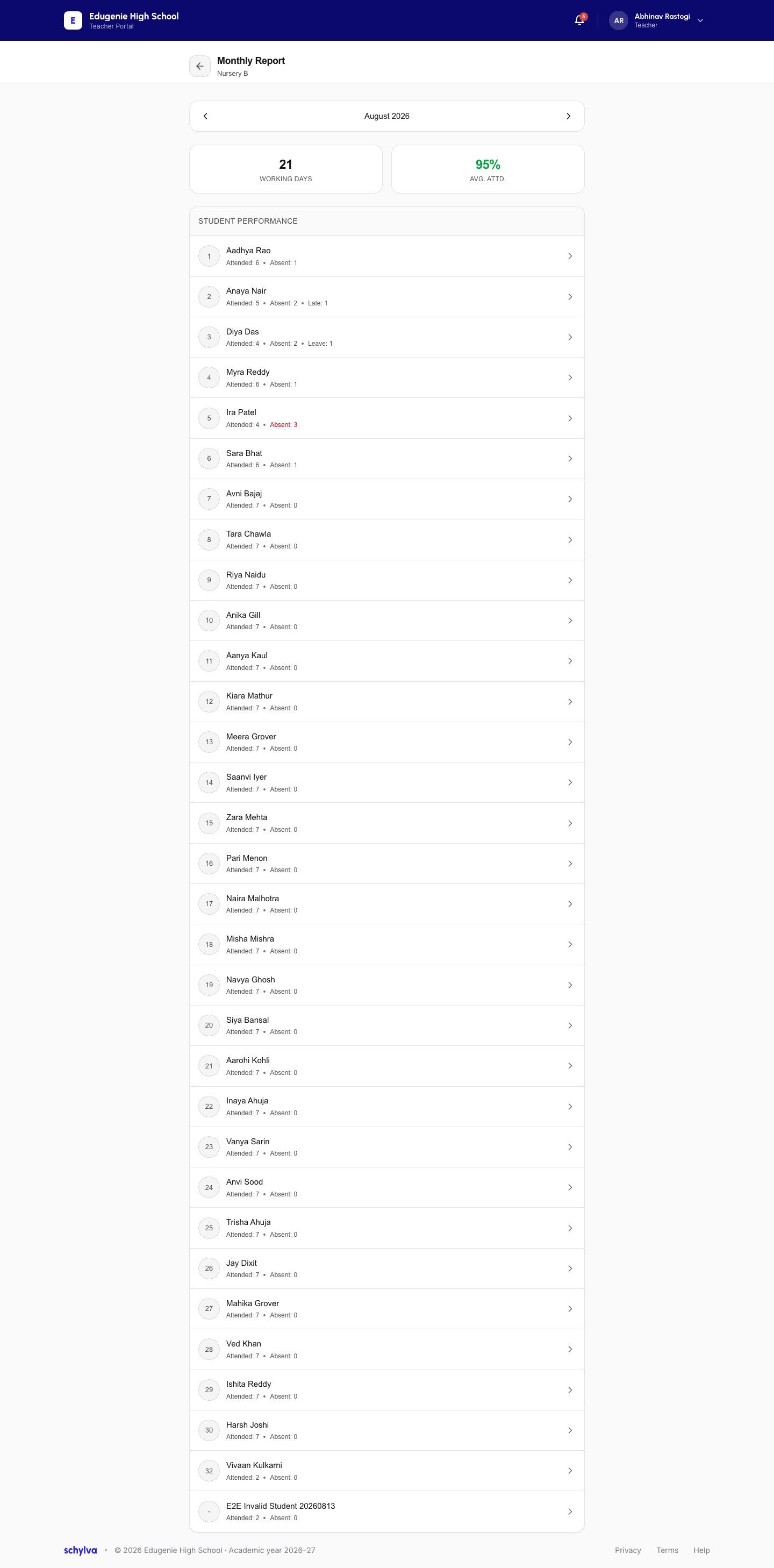
Historical monthly report with approved demo data, not an editable roll call or a live attendance submission.
The shared record
Student, teacher, class and section relationships place the roster in context. The daily record supports school oversight and the personal views—not separate daily lists.
The daily routine
Setup comes first. Teachers mark; school teams and families review their relevant information. Expand any step for the detail.
School setup
A prerequisite—not a task to repeat for every attendance entry.
The school prepares student, teacher, class and section relationships so the attendance task opens in the appropriate context.
The roster begins from configured school information rather than a separate daily list.
Teacher · daily task
Open the roster and submit the supported status for the relevant day.
The signed-in teacher opens the relevant class roster instead of an unrestricted school-wide student register.
The daily task stays attached to the appropriate teacher and class context.
The teacher records attendance in the available roster flow and submits it for the relevant day.
One record becomes available to the appropriate downstream school and personal views.
School & personal views
These are parallel role views, not consecutive approvals. Administrator review is not presented as a gate to family access.
An authorised school administrator returns to the available class status, attendance detail or analysis needed for follow-up.
The school can inspect the attendance context without collecting a separate teacher summary.
The parent or student experience shows attendance associated with the configured school and student relationship.
The personal view stays connected to the underlying school record.
Workflow explanation, not an interactive product screen. The steps describe supported behaviour; each screenshot proves only the captured state it shows.
Who does what
Account access determines what each person can record or review.
Teachers open the appropriate class roster and record the day’s attendance.
For teachersAuthorised administrators return to available status, detail and analysis for school follow-up.
For administratorsParents review attendance summary and detail for the relevant child relationship.
For parentsStudents review attendance information available to their own school account.
For studentsThe family perspective
Actual Parent and Student dashboards, using approved demo data. These are responsive-web views, not native apps.
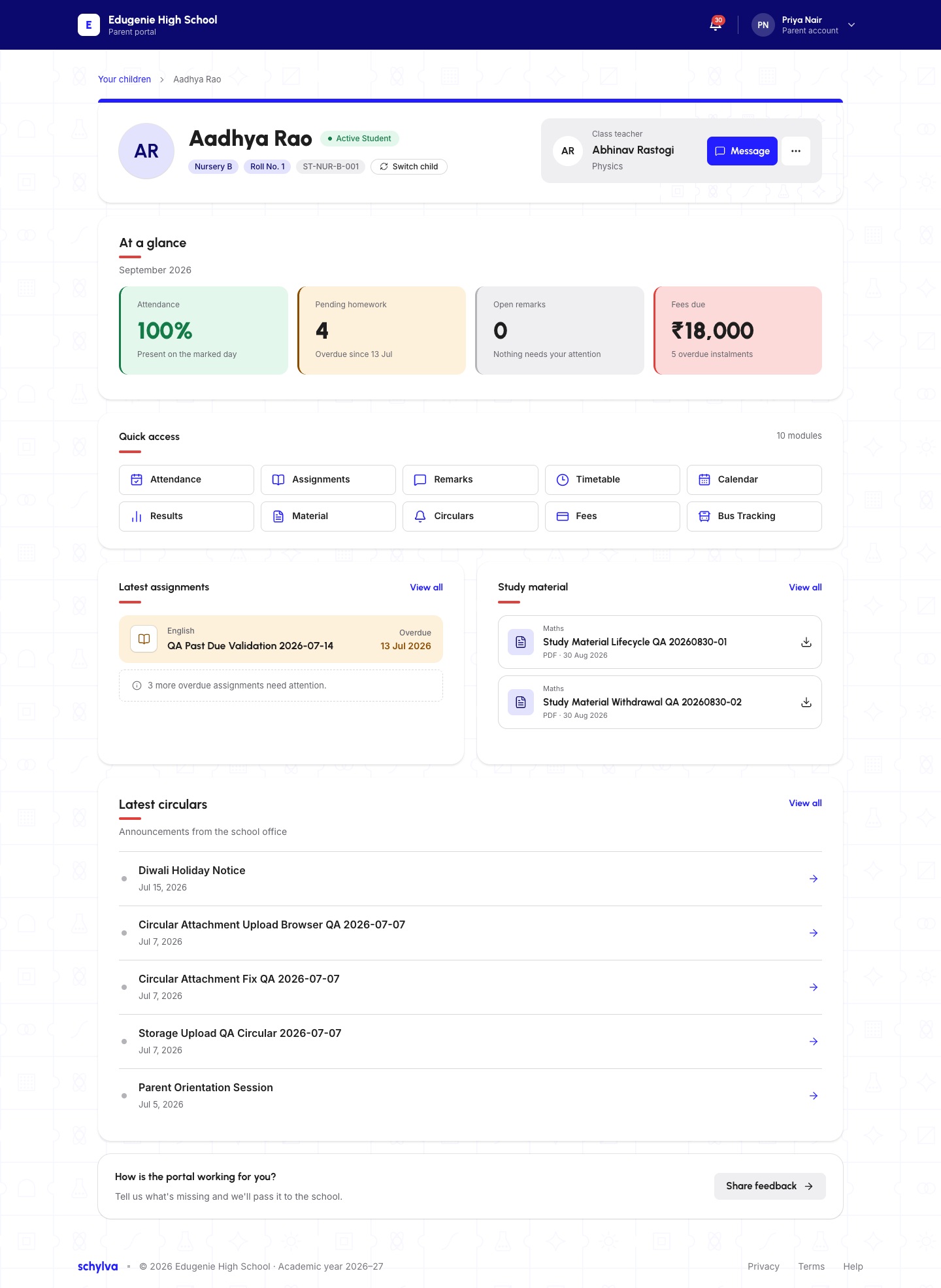
Approved demo data; original balances, QA wording and shortcuts are retained. The Bus Tracking shortcut is not a claim of live GPS availability.
Dashboard evidence only—not leave applications, correction approvals, real-time absence alerts or every attendance detail view.
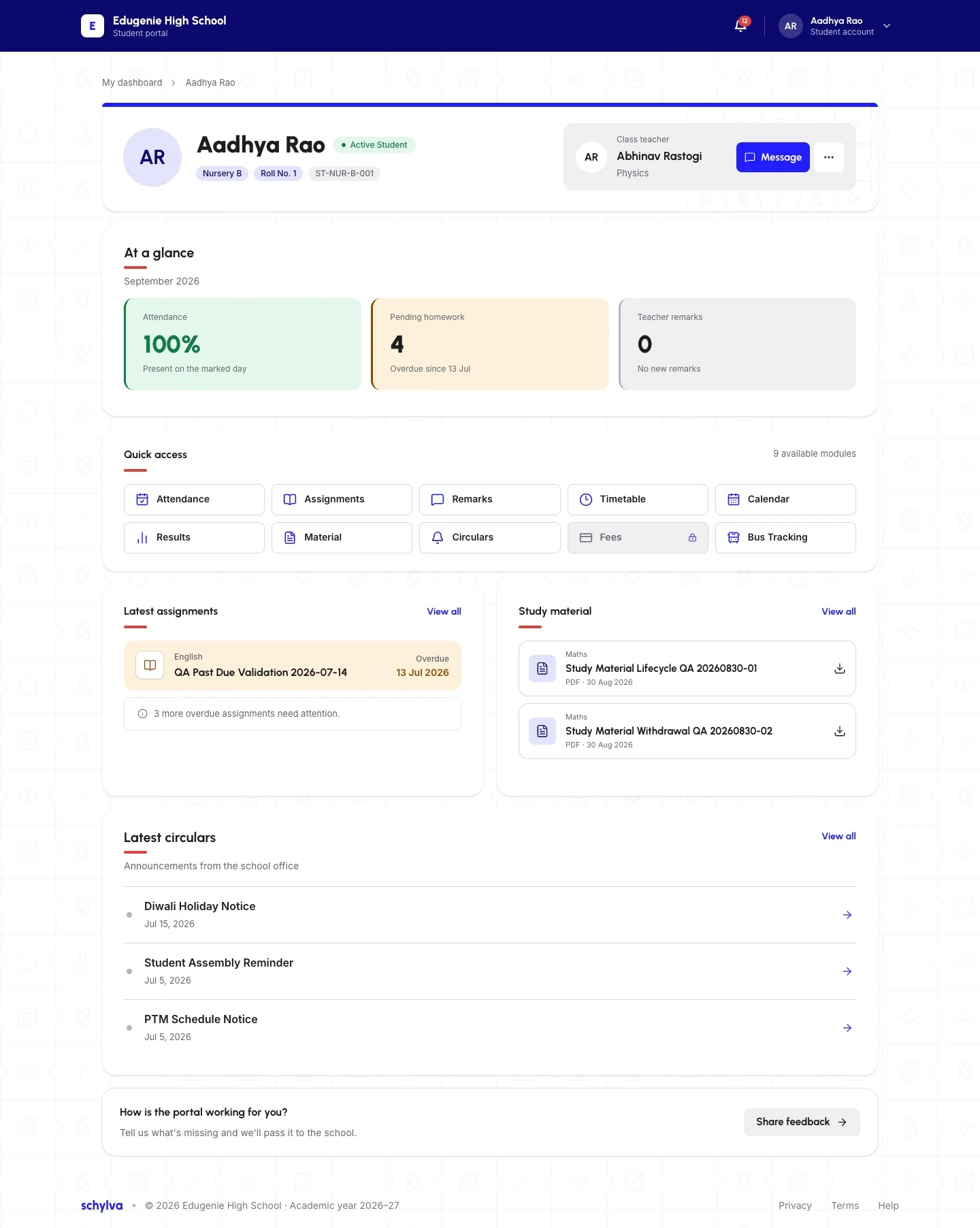
Full desktop-web capture with approved demo data. Scroll the image or open it larger.
Personal summary only. This desktop-web capture does not establish a native-app attendance flow or the permissions of other roles.
Mobile and tablet web remain separate from the in-development iOS and Android apps. These screenshots show approved demo data from the web application.
Know the scope
Check your school’s requirements against the current web workflow.
Confirm during configuration
Make the 45-minute walkthrough specific: confirm teacher ownership, exact administrator status, filters and analysis, and the information each family account should see.
Name the teacher responsibility, class or section and expected marking time.
List the administrator detail and the Parent or Student information the school needs.
Describe the school’s process for late entries or corrections; no dedicated approval workflow is claimed.
A few useful answers
Yes. Teachers can open the appropriate class roster and use the daily attendance workflow available to their configured account.
Administrators can review available school or class attendance status, relevant detail and analysis. Use the demonstration to check the exact completion, pending, date and filter views your team needs.
Yes. The Parent and Student experiences can show attendance associated with the configured school account and student relationship. Automatic absence alerts are not included in that statement.
No. Biometric devices, facial recognition, GPS and geofencing are not current Schylva attendance claims.
No non-login SMS attendance-alert claim is currently made. Login verification SMS delivery is not currently available; do not assume an SMS absence notification from this workflow.
No. Staff attendance and a dedicated attendance-correction approval workflow are outside the current Schylva claim set. Confirm the school’s operating process for late entries or corrections during evaluation.
See it for your school
Explore a representative class, the people who mark and review it, and the views your school needs.
Share your approximate student count and evaluation priorities. We respond within two working days. Please do not send student records or confidential school data.