Understand fee-structure fields
Read fee heads, applicable months and instalment dates, and distinguish a class fee structure from a student’s balance.
For Administrator
On this page
Before you begin
- Use an authorised Admin account for the correct school.
- Confirm the academic year and the class, student, invoice or result set relevant to your task.
1. Match the class, year and fee heads
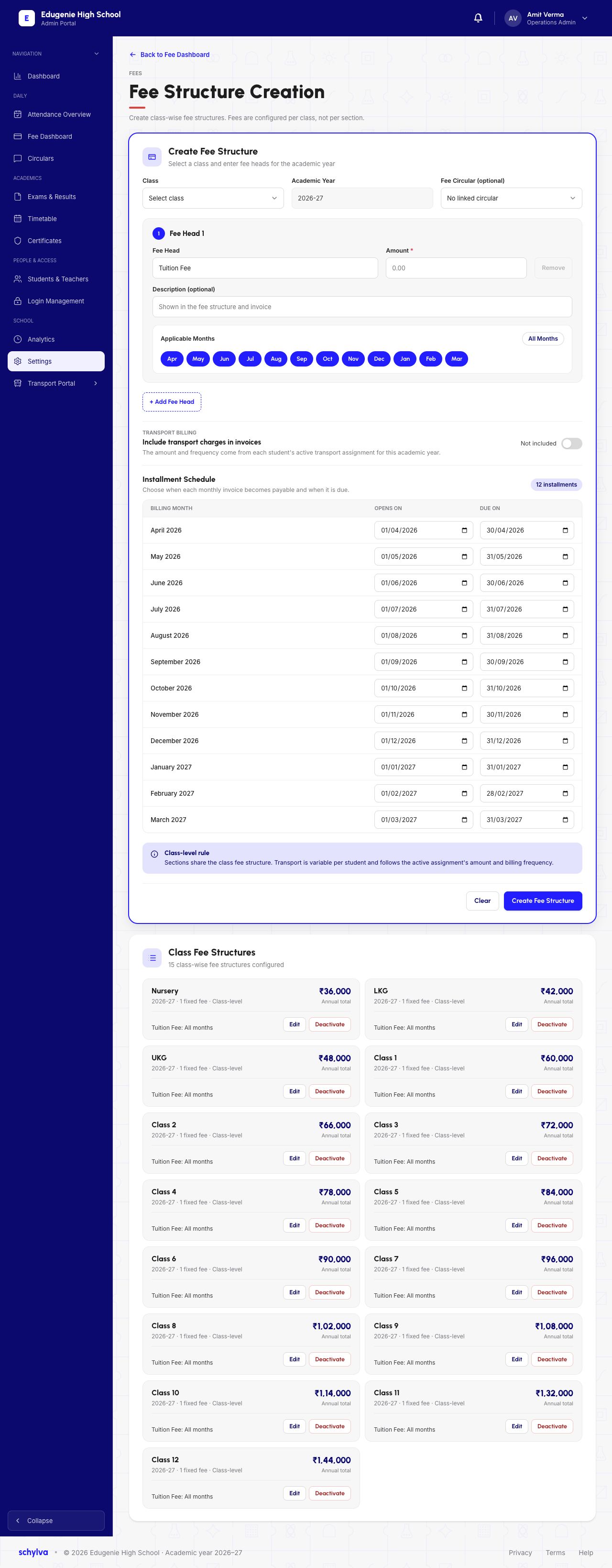
In Settings, open Fee Structure Creation. Structures are configured per class, with sections sharing the class structure. Check Class, Academic Year and the optional Fee Circular before reading the fee heads.
Each fee head has a name, amount, optional description and Applicable Months. The example shows Tuition Fee and all twelve months from April to March. Read the selected months alongside the amount.
Transport billing is separate. Its on-screen explanation says the amount and frequency come from each student’s active transport assignment for the academic year. The example toggle says Not included.
 View full screenshot
2. Separate billing month, opening date and due date
The Instalment Schedule has three different columns. Billing month identifies the monthly invoice. Opens On is when it becomes payable. Due On is its payment deadline.
For April 2026, the example opens on 1 April and is due on 30 April. Read all three values together; a billing-month label is not a due date. Use your school’s agreed billing dates rather than copying the example.
View full screenshot3. Recognise the edit form
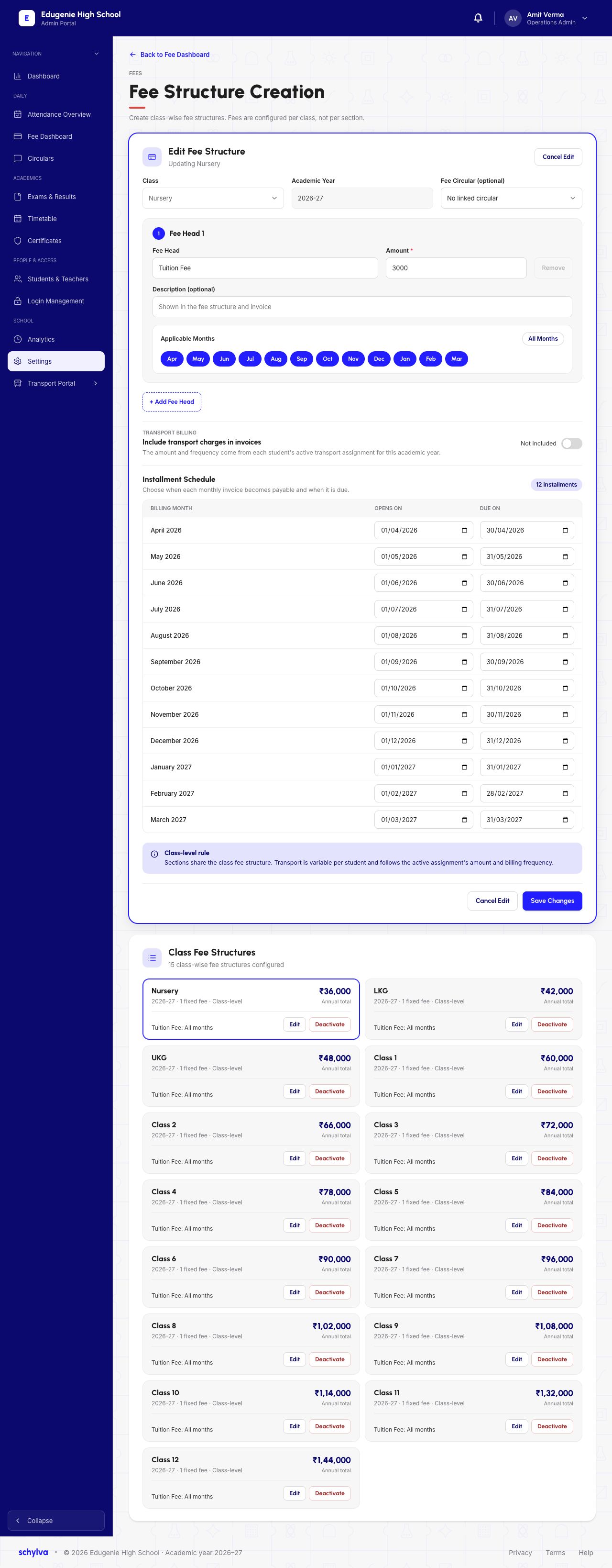
The Edit Fee Structure example says Updating Nursery. It shows Tuition Fee of ₹3,000 with all twelve months selected. Save Changes and Cancel Edit identify the edit view.
The existing Nursery card below the form shows an annual total of ₹36,000. Keep the fee-head amount, applicable months and annual total distinct. An open edit form does not confirm a saved change or an updated invoice.
 View full screenshot
4. Compare the read-only breakdown
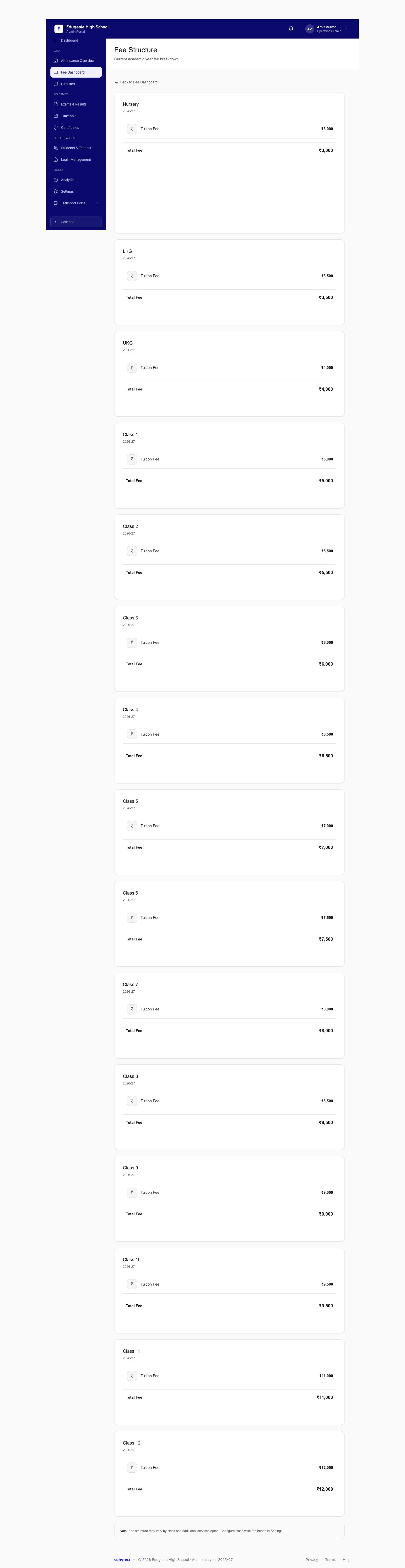
The separate Fee Structure reference shows Nursery, academic year 2026–27, Tuition Fee ₹3,000 and Total Fee ₹3,000. This breakdown is not the student ledger or the annual-total card.
For a student’s amount due, amount paid and invoice deadline, use the student fee detail. A class fee breakdown alone does not establish whether a student has paid.
 View full screenshot