Understand fee-adjustment fields
Read an invoice-specific waiver or discount form alongside the student’s wider fee-clearance report.
For Administrator
On this page
Before you begin
- Use an authorised Admin account for the correct school.
- Confirm the academic year and the class, student, invoice or result set relevant to your task.
1. Check the student and clearance period
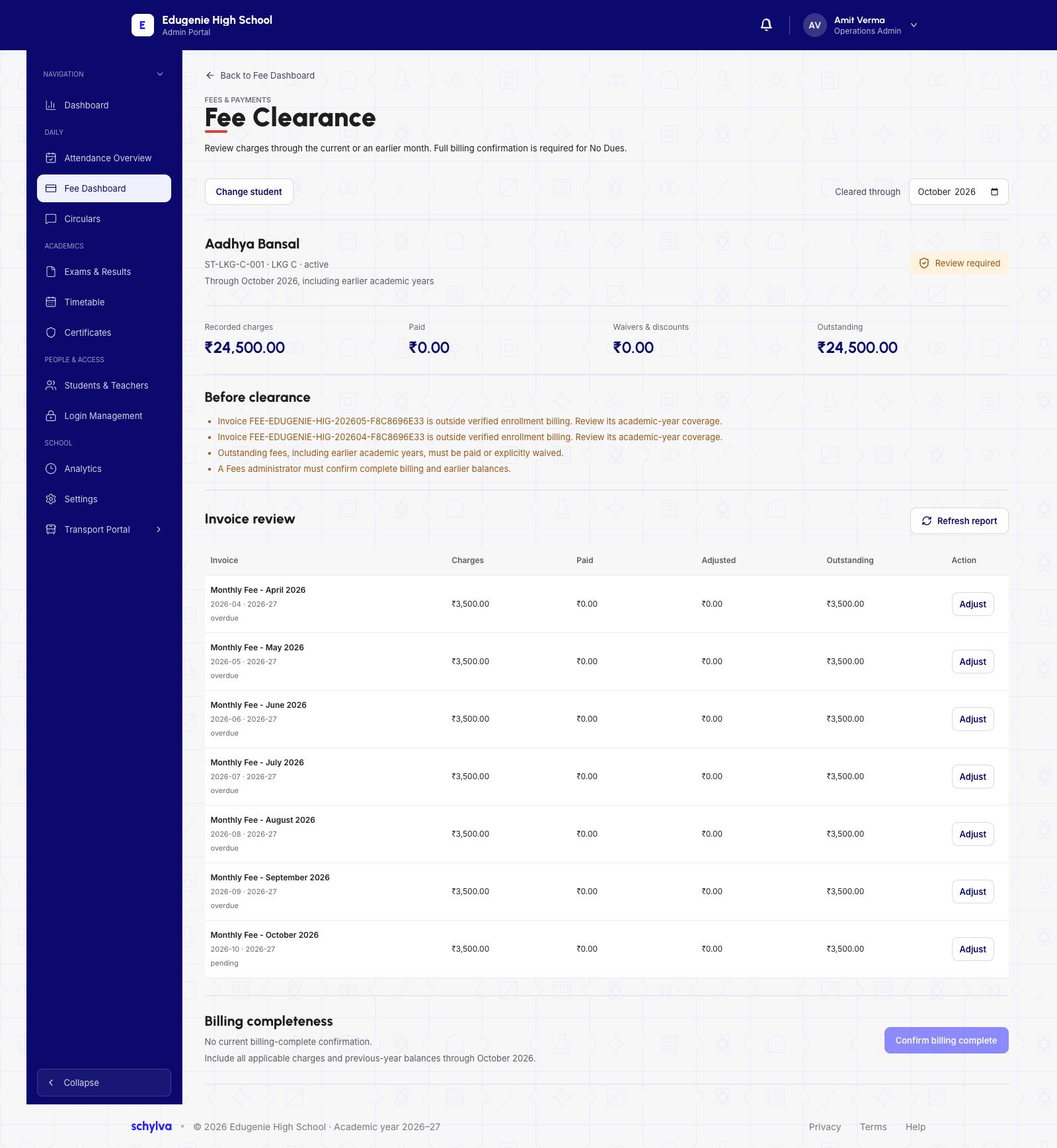
Fee Clearance identifies the student and the selected through-month. The example is Aadhya Bansal, ST-LKG-C-001, LKG C, through October 2026 including earlier years.
Recorded charges and Outstanding are both ₹24,500, with no paid amount or waivers/discounts. Status is Review Required. The report flags two invoices outside verified enrolment billing and calls for a billing-completeness review.
A zero outstanding balance or an available Adjust control does not by itself establish No Dues. The page separately requires complete billing confirmation.
 View full screenshot
2. Distinguish one invoice from the whole account
Invoice Review lists billing months with charged, paid, adjusted and outstanding amounts. The visible monthly invoices each show ₹3,500 and an Adjust control.
The account’s outstanding amount is ₹24,500, while the adjustment form below concerns the October invoice of ₹3,500. These amounts have different scopes.
View full screenshot3. Read the adjustment and confirmation fields
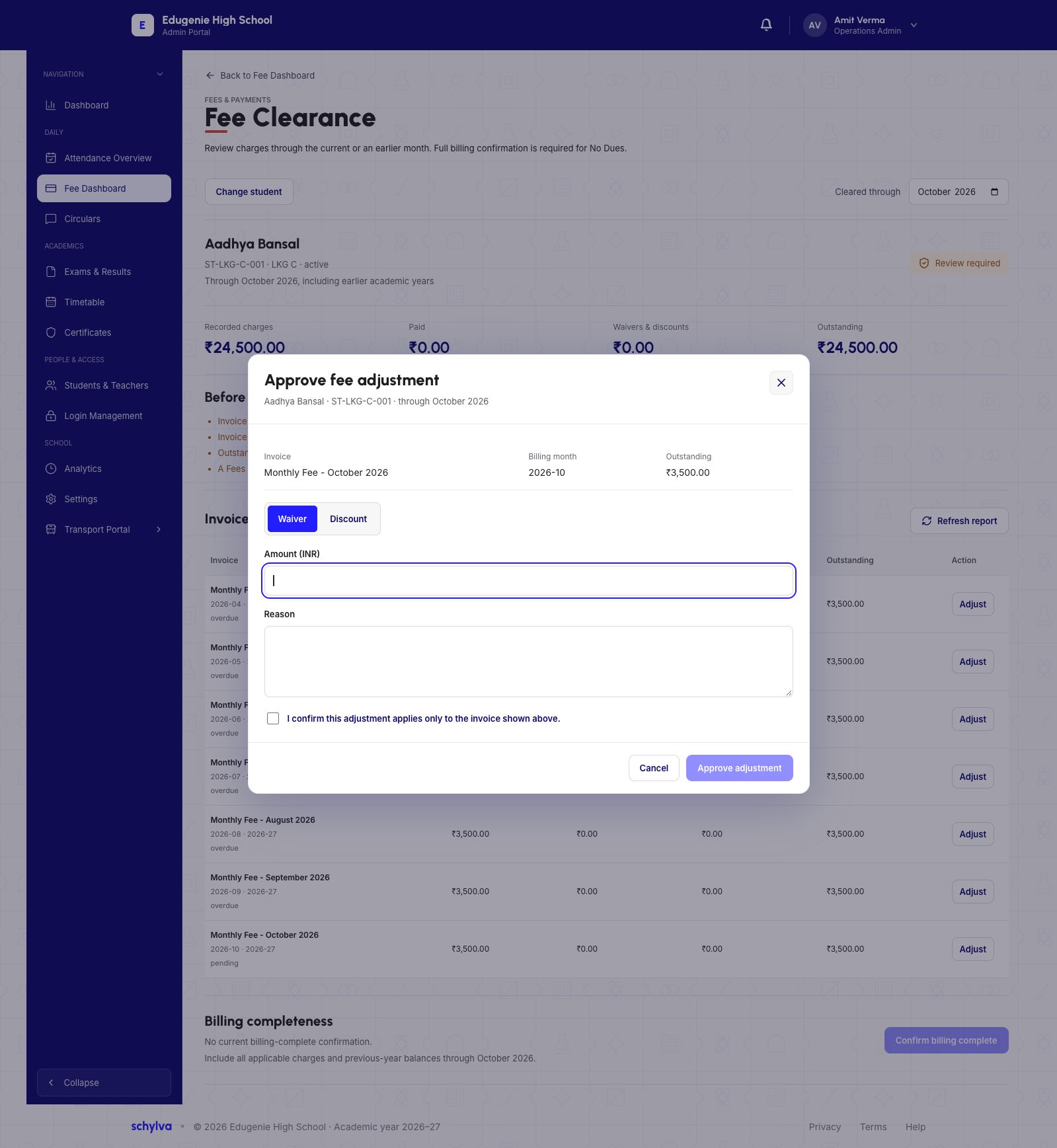
Approve fee adjustment repeats the student, invoice, billing month and outstanding amount. It offers Waiver and Discount; Waiver is selected in the example.
Amount (INR) and Reason are blank. The unchecked confirmation explicitly limits the adjustment to the invoice shown above. The open form is not a completed approval.
A waiver or discount is distinct from a refund or cash payment. This screen does not show a money transfer or revised ledger.
 Enlarge screenshot
Questions to resolve with the fee administrator
Confirm the school’s authorisation, the exact invoice, the reason and intended amount before considering an adjustment.
- The account still says Review Required
- Read the billing coverage and completeness warnings; an adjustment alone may not resolve them.
- You expected the change to apply to every month
- The checkbox in this form says it applies only to the invoice shown. Other months are separate records.
- You need to undo an adjustment
- The reversal process and audit result are not demonstrated in this guide. Obtain a verified procedure first.