Read school identity and contact settings
Find the school name, academic-year label, logo controls and office contact shown in the Admin settings.
For Administrator
On this page
Before you begin
- An authorised Admin account with access to the relevant school settings or records.
- Confirm your school and academic year. Names, dates, amounts and counts in the screenshots are fictional/demo examples.
1. Find School Identity & Login Support
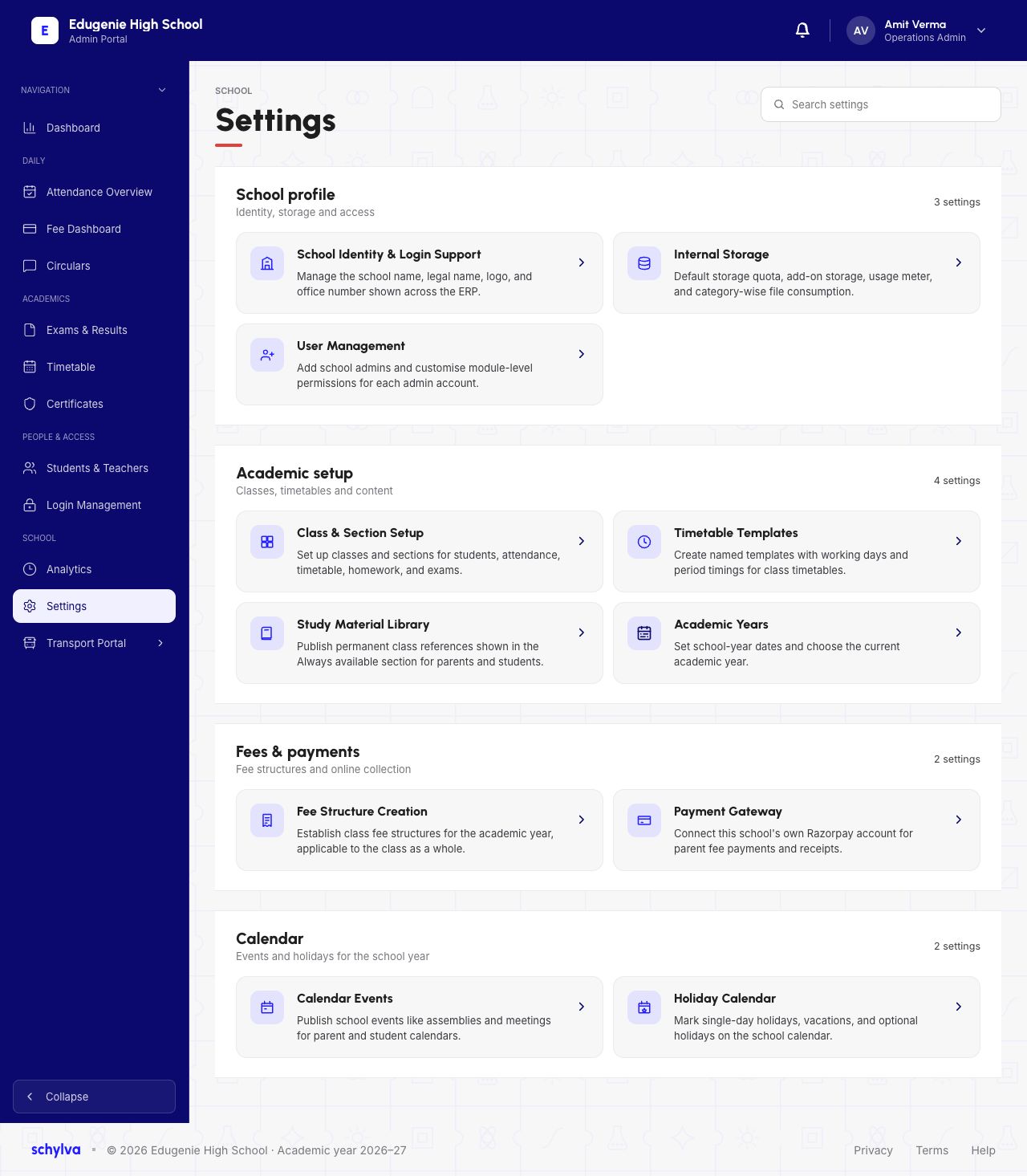
Open Settings in the Admin navigation. In School profile, find School Identity & Login Support. The settings search can help locate the card among the other setup areas.
Class setup, Academic Years, fees, calendars and user management have their own settings. Use the identity card when your question concerns the school name or office contact.
Demo · Admin desktop web
 View full screenshot
2. Compare the preview with the identity fields
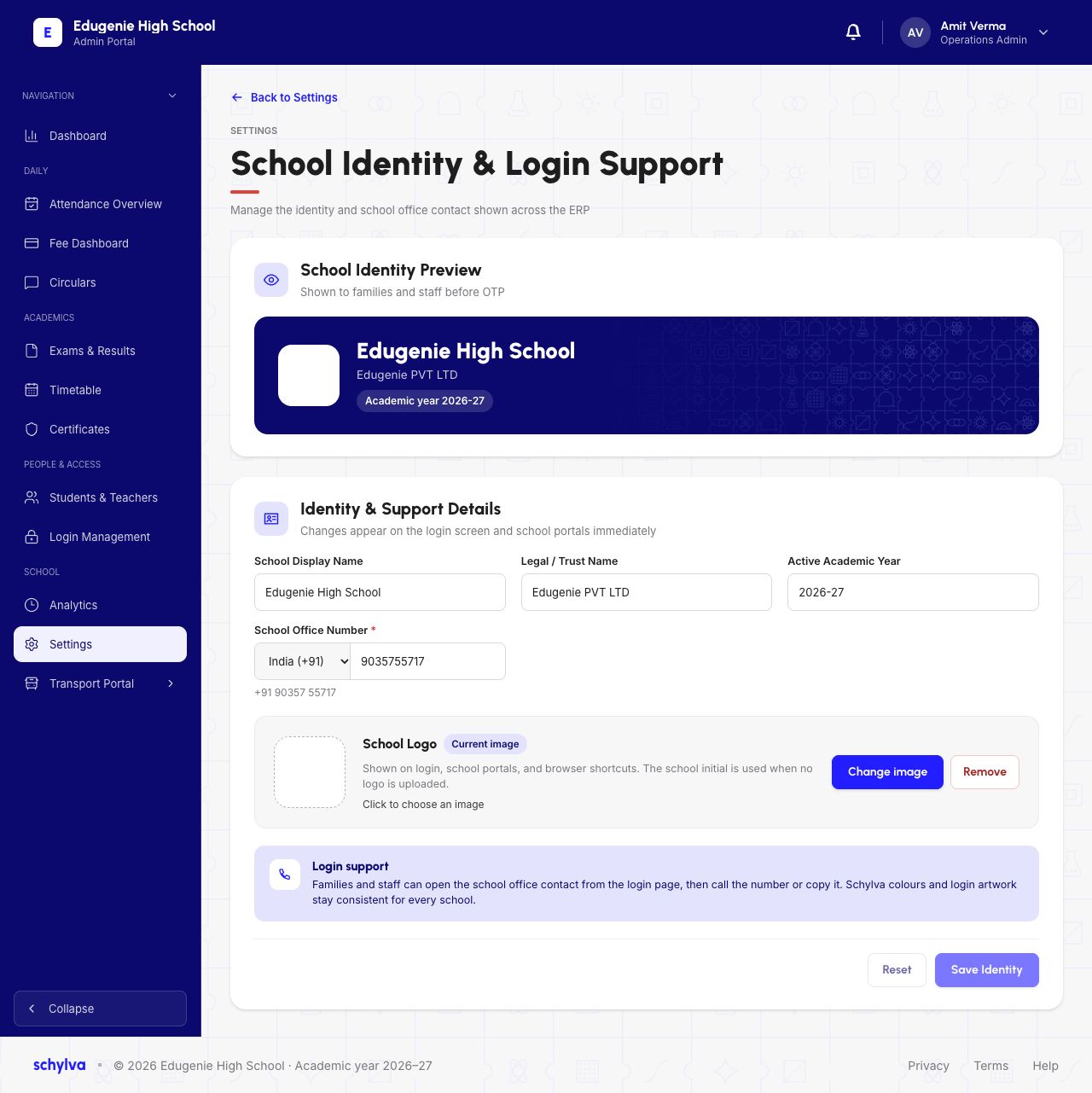
The page has a School Identity Preview above Identity & Support Details. Read School Display Name separately from Legal / Trust Name: these are distinct fields in the captured form.
Active Academic Year is also displayed here. This field is not evidence of an academic-year switch, student promotion or rollover. Use the Academic Years guide to understand the separate year list.
The School Office Number is the contact for school support. It is not a parent’s or teacher’s individual sign-in number. Check its country code as well as the number.
Demo · Admin desktop web
 Enlarge screenshot
3. Read the logo and login-support controls
The School Logo area shows a current-image space with Change image and Remove controls. This capture does not establish that a particular logo graphic rendered successfully.
The login-support explanation describes how families and staff can find the school-office contact before signing in. It is settings-page guidance; a working call or copy action on the login page still needs separate verification.
If something looks wrong
Send the exact field name and expected school information to the authorised settings administrator.
- The display and legal names differ
- Check whether your school uses a separate public name and legal or trust name. Do not assume they must be identical.
- A family cannot sign in
- Use the sign-in troubleshooting guide. Changing the school office number does not establish or repair a user account.
- The year label looks outdated
- Check Academic Years and the school’s agreed year-management process before making changes.