Read circular audiences and acknowledgement status
Find an existing circular, check its intended audience and read the recorded acknowledgement report.
For Administrator
On this page
Before you begin
- An authorised Admin account with permission to view this area of your school portal.
- The relevant academic year and the class, person or record you intend to check. Demo names, amounts, dates and counts are examples, not current school information.
1. Find the notice and check the month
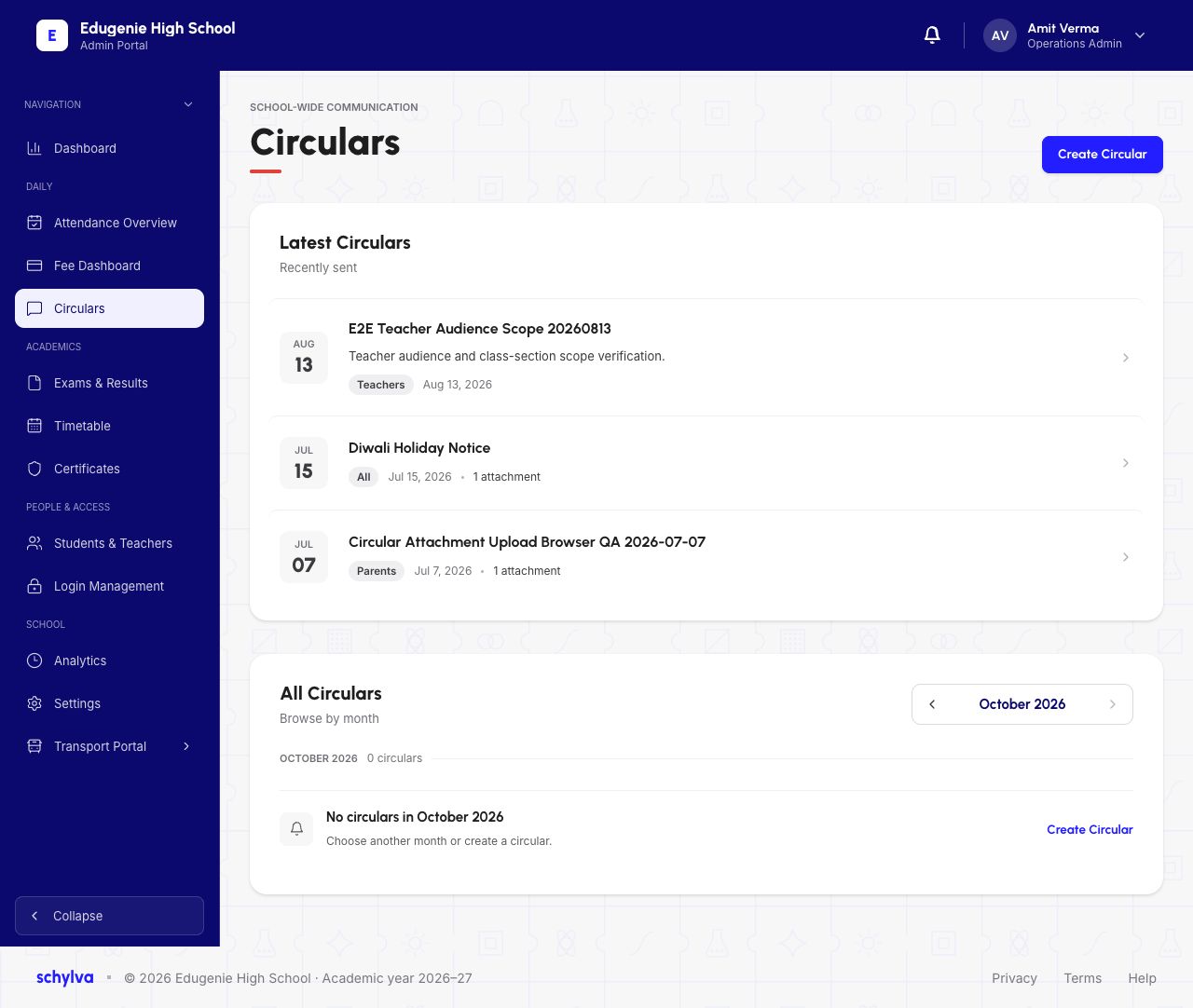
Open Circulars. Latest Circulars can contain older notices, while All Circulars shows the selected month. The capture has older latest items but zero entries for October 2026.
Match the title, audience and displayed date. An empty selected month does not mean that all circulars are missing.
Demo · Admin desktop web
 View full screenshot
2. Read the audience and attachment listing
Open the intended circular and find Audience. The example targets All and lists a file named diwali.png with a displayed size.
Audience describes targeting. It does not by itself prove that every recipient received or read the notice. A listed attachment is also not evidence of a successful download.
Demo · Admin desktop web
 View full screenshot
3. Read the report and recipient rows
The Acknowledgement Report separates Recipients, Acknowledged, Pending and Overdue. This snapshot shows 500 recipients, 4 acknowledged, 496 pending and 0 overdue; the deadline is displayed as a dash.
Read each row’s recipient role, For student, class, status and Acknowledged at value. A parent’s acknowledgement and a student’s acknowledgement can be separate rows. One does not prove the other has acknowledged.
Pending means the report has no acknowledgement for that row. It does not establish whether the person saw the notice, received a notification or had connectivity.
Demo · Admin desktop web
View full screenshotIf a notice or acknowledgement is missing
Check the month and intended audience before contacting the school office.
- October is empty but Latest has notices
- Read the notices’ actual dates; the two areas use different scopes.
- A parent is acknowledged but the child is pending
- Check the role in each row. These are separate recipient records.
- An attachment will not open
- Report its filename and circular title to the school office. No attachment-download outcome is verified in this batch.