Find your school’s Skyva portal
Your school’s portal is separate from this Help Centre. Use the address shared by your school rather than assuming every school signs in at the same link.
For Parent · Teacher · Student · Administrator
On this page
Before you begin
- A portal link supplied by your school.
- The role you use at school: Parent, Teacher, Student or Administrator.
1. Start with your school’s link
Check the welcome message, school communication or bookmark your school supplied. If you do not have a link, use an existing trusted school contact to request it.
The demonstration school shown below is an example, not a universal login address for Skyva schools.
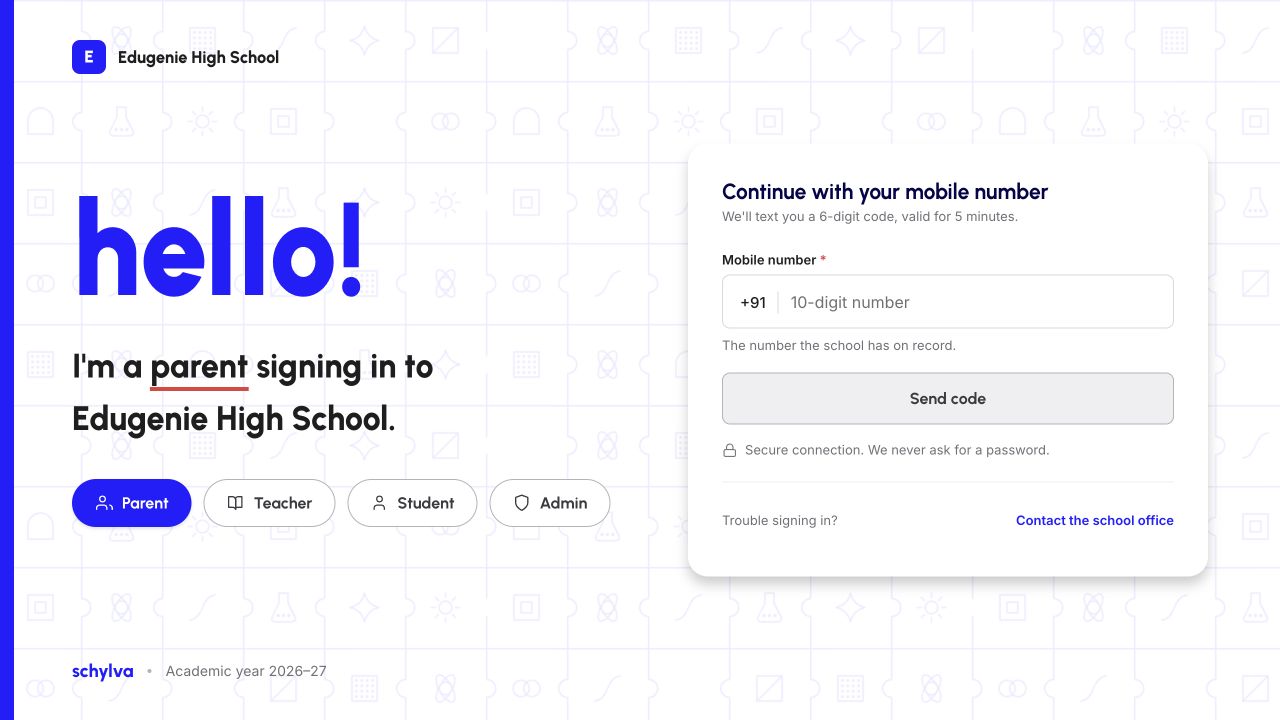
2. Check the school identity
Before entering any details, compare the school name and logo with the school you intend to access. If they do not match, stop and confirm the address.
Demo data · Web reference
 Enlarge screenshot
3. Check your intended role
The example entry screen presents Parent, Teacher, Student and Admin choices. Choose the role supplied by your school. Do not use a different role to try to access someone else’s information.
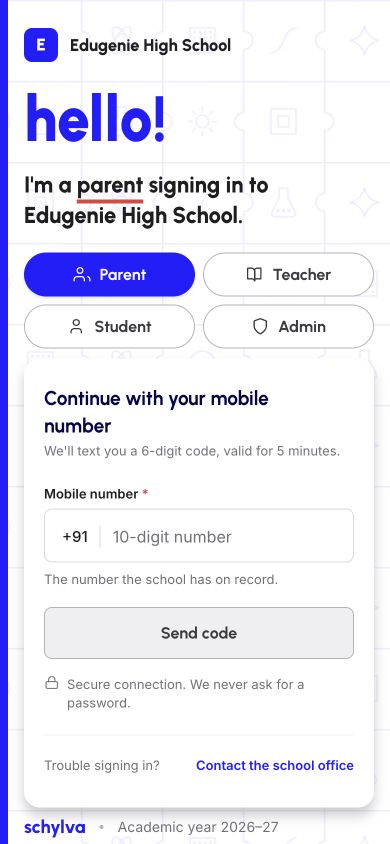
On a phone, the same example presents the role choices above the mobile-number field. This is the responsive website, not a native app.
Demo data · Web reference
 Enlarge screenshot
Before you continue to sign in
You should now recognise the intended school’s entry page and your authorised role. This guide stops before authentication.
The portal and dashboard orientation guide shows how to recognise your role and account after entry. Contact your school if you cannot obtain access. Never include a verification code in a support request.
If the link looks wrong
Do not enter your details on an unexpected school page. Recheck the supplied address with your school through a channel you already trust. Browser security warnings should not be bypassed.