Find existing school login accounts
Find Admin, Teacher, Student or Parent login records and read their displayed status without changing access.
For Administrator
On this page
Before you begin
- An authorised Admin account with permission to view this area of your school portal.
- The relevant academic year and the class, person or record you intend to check. Demo names, amounts, dates and counts are examples, not current school information.
1. Start with Login Management
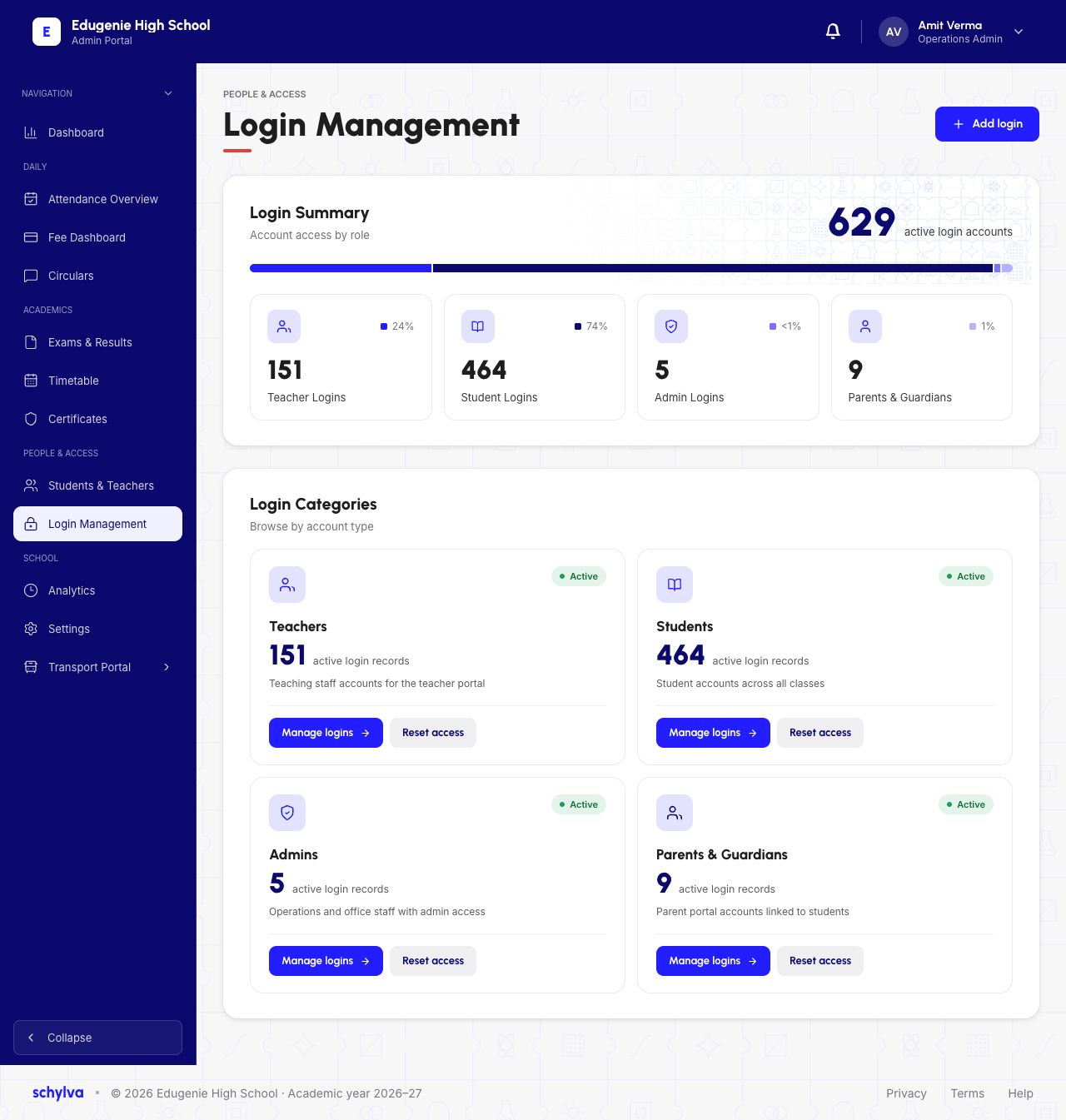
Open Login Management under People & Access. Login Summary groups accounts by Teachers, Students, Admins and Parents & Guardians.
The snapshot shows 629 active login accounts. That is a count of account records, not concurrent signed-in users, recent visits or all school enrolments. Use the category that matches the role you need to inspect.
Demo · Admin desktop web
 View full screenshot
2. Find a Teacher or Student login
Choose Manage logins in Teachers or Students. Use the search field within the correct list and match more than the name.
Teacher rows show subject information, Active login and a class count. Student rows show class/section, roll number and Active login. Similar names can occur across classes; check the contextual fields before identifying an account.
Active login is the displayed access status. It does not prove a recent successful sign-in or that an OTP was delivered.
Demo · Admin desktop web
 View full screenshot
Demo · Admin desktop web
 View full screenshot
3. Read Admin and Parent account lists
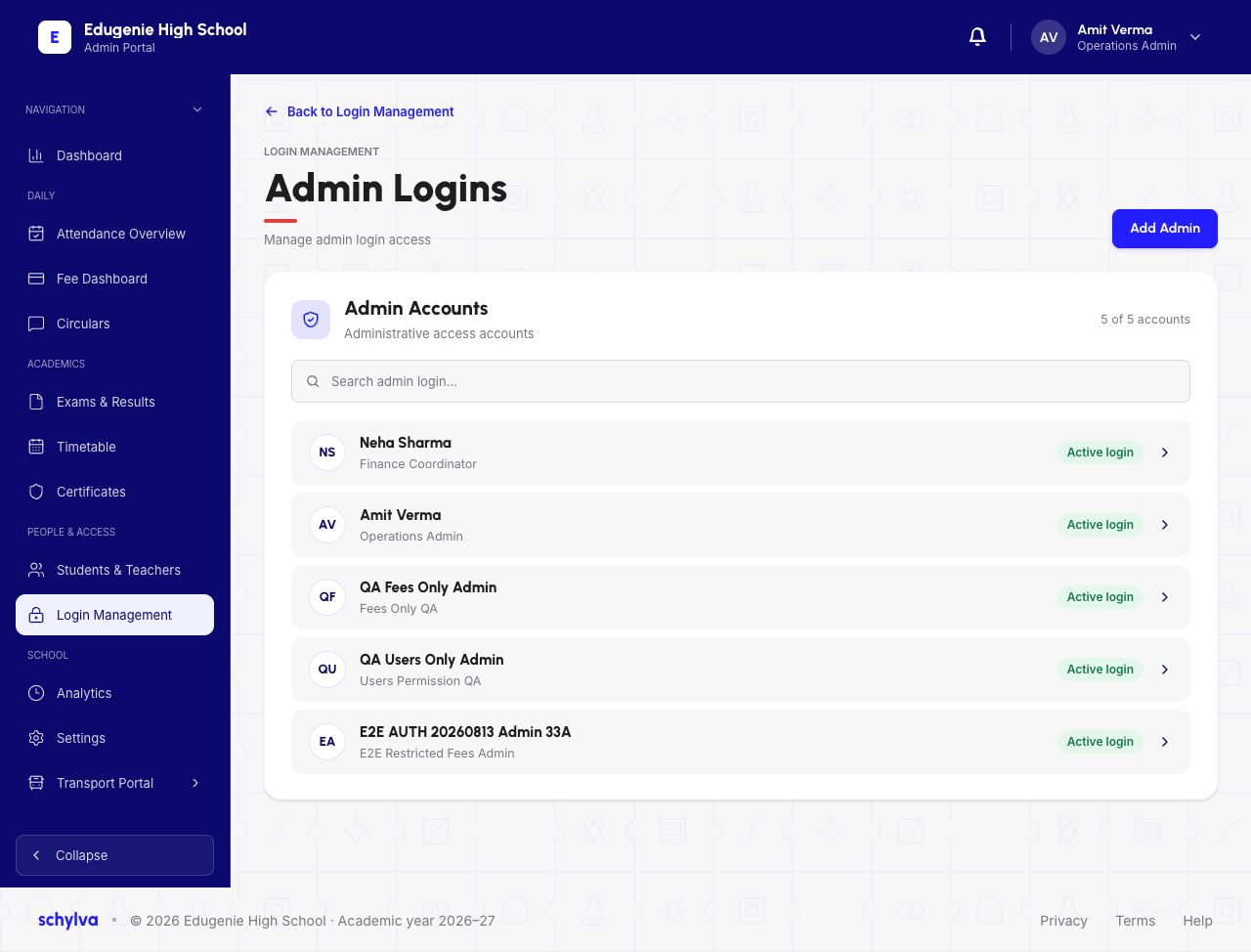
The Admin Logins list shows a name, responsibility label and Active login status. A responsibility label is not a complete permission audit; do not assume every Admin has the same access.
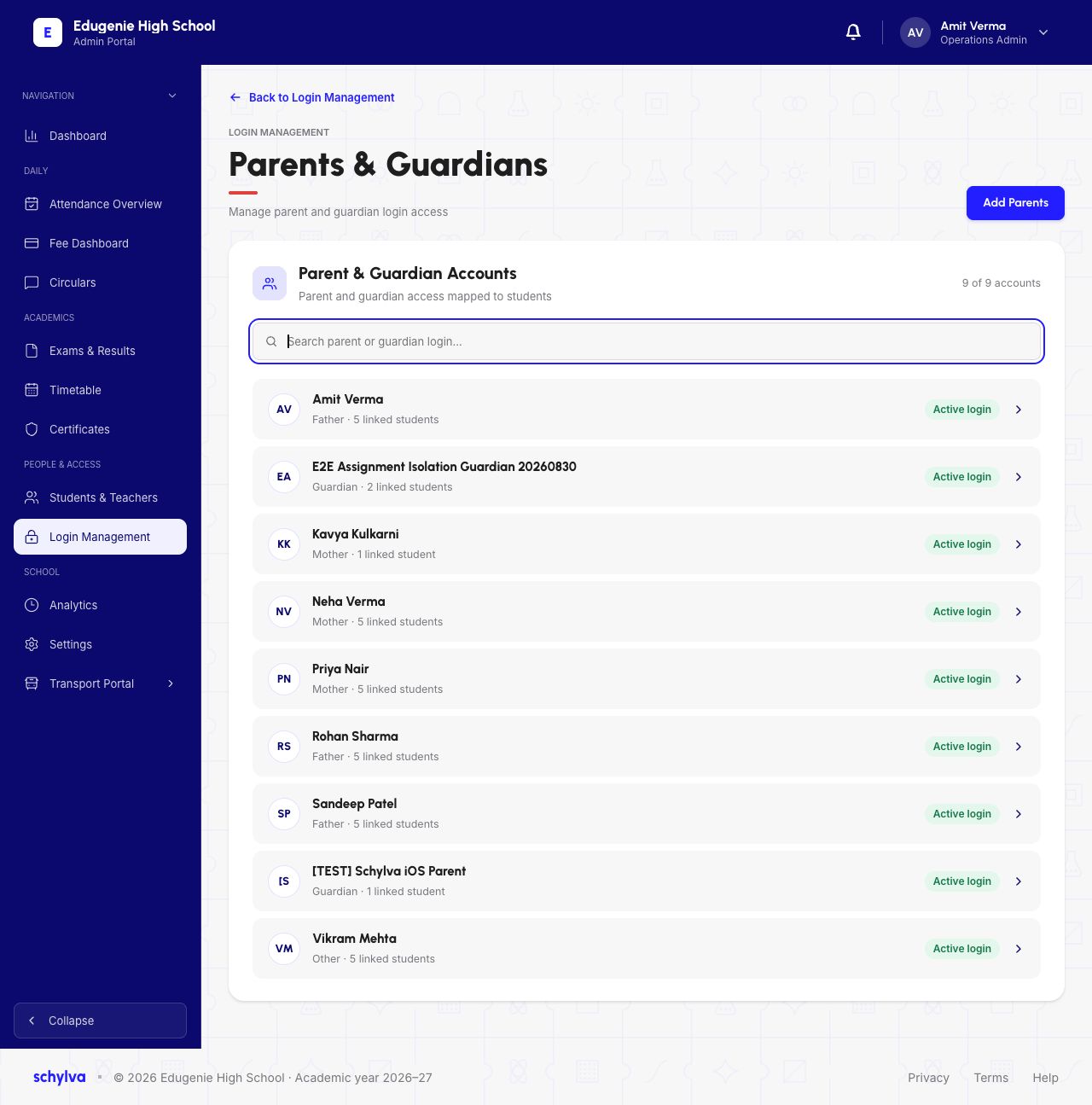
Parents & Guardians shows the relationship label and number of linked students. This count helps identify an existing account, but it does not verify a new link or reveal all linked children in this list view.
Demo · Admin desktop web
 View full screenshot
Demo · Admin desktop web
 View full screenshot
If an account cannot be found
Check the category, search spelling and class context before contacting the authorised account administrator.
- The name appears more than once
- Match class, roll number, subject or relationship details rather than selecting by name alone.
- An active account cannot sign in
- Use the sign-in troubleshooting guide. A directory badge does not diagnose OTP or session problems.
- A parent’s linked-child count looks wrong
- Ask the school’s authorised administrator to review the link. Do not add a duplicate account or reset access as a shortcut.